Table of Contents >> Show >> Hide
- First, what “facial recognition” actually means
- Facebook’s facial recognition timeline (why it’s confusing on purpose… or at least it feels that way)
- So… what data are we talking about?
- What it means for your data: the real-world tradeoffs
- The legal landscape in the U.S. (why some states get special treatment)
- How to reduce your exposure (without moving to a cabin and speaking only in riddles)
- What to watch for going forward
- Conclusion: What this means for your data (in one sentence)
- Experiences: What people actually run into
- Experience 1: “My aunt posted 87 photos and tagged me in 62 of them”
- Experience 2: The “celeb-bait” ad that fooled a smart person
- Experience 3: Account recoverychoosing between ID upload and video selfie
- Experience 4: “I got flagged as suspicious because I traveled”
- Experience 5: The “private account, public face” problem
Facial recognition on Facebook (now under Meta) has had a glow-up, a glow-down, and a “wait… it’s back?” plot twist. If you’ve ever uploaded a photo and thought, “How does Facebook know that’s my cousin Kyle when even I’m not sure that’s my cousin Kyle?”you’ve already met the concept.
This guide breaks down what Facebook facial recognition has been, what it is now (as of recent anti-scam tools), what kinds of data can be involved, and what practical steps you can take to protect your privacy without deleting every photo you’ve ever posted like you’re in witness protection.
First, what “facial recognition” actually means
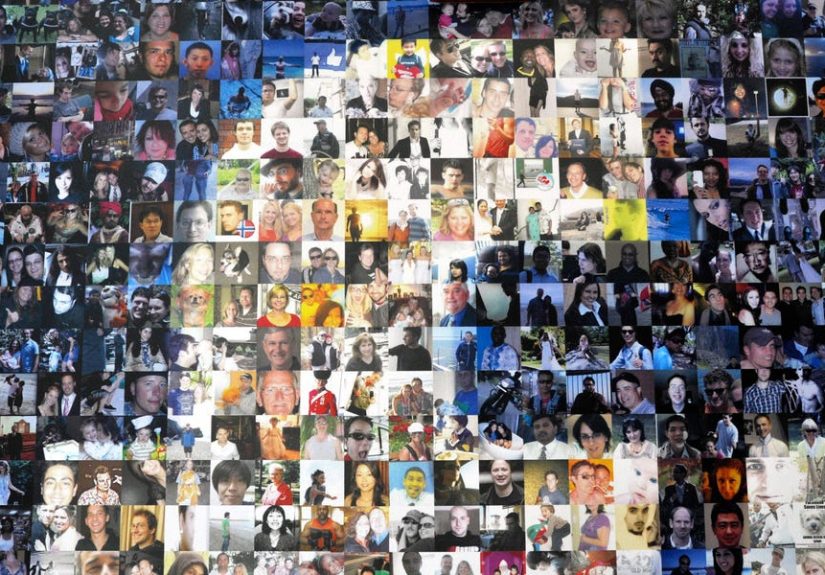
Facial recognition isn’t the same thing as “Facebook has your face as a JPEG.” The tech generally works by turning a face into a mathematical representationoften called an embedding, template, or (in older Facebook discussions) a “faceprint.” Think of it like a unique-ish face barcode: not the photo itself, but a numeric summary of features (spacing, contours, and other measurements) that can be compared to other faces.
Face recognition vs. face verification (important distinction)
- Face recognition: “Who is this?” (matching a face against many possible people)
- Face verification: “Is this you?” (comparing your selfie to your own profile photos, ID, or known images)
Facebook historically used recognition-like behavior for features such as tag suggestions. More recently, Meta has described uses closer to verification (like video selfie identity checks) and specialized matching (like comparing scam ads to known public figures’ photos).
Facebook’s facial recognition timeline (why it’s confusing on purpose… or at least it feels that way)
The “Tag Suggestions” era
For years, Facebook offered features that could recognize you in photos and suggest tags. The system generally involved detecting faces in uploaded images, converting them into a numeric “signature,” and comparing that signature to stored face templates. If it found a close match, Facebook would suggest a name.
The lawsuits and regulatory pressure era
Facial recognition became a legal and reputational magnet. One of the most famous flashpoints was Illinois’ Biometric Information Privacy Act (BIPA), a strict U.S. law requiring notice and written consent before collecting certain biometric identifiers (including scans of face geometry), plus retention and deletion rules. Facebook’s face-tagging features became central in litigation and ultimately a major settlement.
The 2021 “we’re shutting it down” era
In late 2021, Meta announced it would shut down Facebook’s face recognition system and delete more than a billion facial recognition templates associated with the feature. In plain English: if you had opted in to Facebook’s Face Recognition setting, the platform said it would stop automatically recognizing you in photos/videos and would delete the template used to identify you.
That change also affected accessibility features: automated alt text could still describe images, but it would no longer include the names of recognized people.
The 2024–2025 “facial recognition returns (selectively)” era
Meta later announced tests using facial recognition againbut framed in narrower, security-focused contexts, such as:
- Combating “celeb-bait” scam ads (ads that misuse a celebrity’s image to trick people into clicking, investing, or buying)
- Helping restore compromised accounts using an optional video selfie process
This is why people feel whiplash: the broad, always-there tagging system was scaled back, but targeted uses of face matching are being tested and expanded for specific security and fraud problems.
So… what data are we talking about?
When people say “Facebook has my face,” they often mean one of several different things. Here’s a practical breakdown.
1) Photos and videos you upload (obvious, but still the foundation)
Your uploaded content can include your face and other people’s faces. Even if Facebook isn’t running broad face recognition on every user the way it used to, your images can still be used for other purposes such as integrity checks, account security, and policy enforcementdepending on the feature and region.
2) Biometric-style representations (templates / embeddings)
When facial recognition or verification is used, the system may generate an embeddinga numeric vector derived from your face. This is the “face barcode” concept. It’s often treated as sensitive because it can be used to identify or confirm identity.
Meta has described generating embeddings for some security flows and deleting them after comparison is completed.
3) Video selfie submissions for account recovery
Meta has tested a “video selfie” option for account recovery where your face in a short video is compared to profile photos. Meta has also described encryption and deletion practices for facial data in these flows. However, some help documentation indicates the video itself may be stored for a period (for example, to support appeals or ongoing verification), even if the face embedding used for matching is deleted sooner.
Translation: “We delete the face-matching data quickly” can be true while “we retain the uploaded verification video for a while” is also true. Different data types, different retention rules.
4) Public-figure protection scans
For “celeb-bait” scam detection, Meta has described comparing images in flagged ads to official images of certain public figures/high-profile individuals. The goal is to catch impersonation and misuse faster than human review alone. Meta has also said people can opt out (depending on the program), and it has emphasized deletion of facial data after checks.
5) Metadata and context that makes everything easier to identify
Even without facial recognition, platforms can infer a lot via:
- Tags, captions, comments, and location info
- Friends/family graph (“you’re in photos with these people constantly”)
- Device signals and login patterns (security context)
Facial recognition is powerful, but it’s not the only way identity becomes “sticky” online.
What it means for your data: the real-world tradeoffs
Benefit: Faster fraud detection and account recovery
Fraud is relentless, and scam operations are professional. If face matching can quickly identify that an ad is using a celebrity’s face without authorization, it can reduce harmespecially for users who might not spot sophisticated scams. Likewise, a secure video selfie can be a faster alternative to uploading government IDs, depending on your comfort level.
Risk: Function creep (aka “it started as anti-scam… and then it spread”)
Privacy concerns often come down to this: once a system exists, pressure builds to use it more broadly. A tool built for account recovery might later be proposed for “improving user experience,” “enhancing recommendations,” or “integrity signals.” Companies may promise guardrails, but policies can change, and product teams love reusable building blocks.
Risk: Data breaches and secondary exposure
Biometric-style data is high-stakes because you can’t change your face like you can change a password. If a face template/embedding is leaked, the long-term risk can be seriousespecially as face verification is used across more services.
Risk: Bias and accuracy gaps
Independent testing has found demographic performance differences in face recognition systems (accuracy and error rates can vary across age, sex, and race groups, depending on the algorithm and conditions). Even when accuracy improves overall, unequal error rates matter because “false match” and “false non-match” failures don’t land evenly.
Risk: Consent that feels like a maze
Many users don’t remember what they opted into five years ago. And “consent” can get murky when it’s buried in settings, presented during stressful events (like account lockouts), or offered as the easiest way out of a problem. Real consent should feel like a choice, not like a trapdoor labeled “quick fix.”
The legal landscape in the U.S. (why some states get special treatment)
The U.S. doesn’t have one single biometric law that covers everyone. Instead, it’s a patchworksome states are strict, others are lighter, and some rely on consumer protection enforcement.
Illinois (BIPA): the heavyweight
Illinois’ BIPA is famous because it includes private lawsuits, statutory damages, and clear obligations around notice, written consent, and retention/deletion policies for biometric identifiers and information. It’s one reason companies treat Illinois differently.
Texas and Washington: additional biometric rules
Texas has a biometric identifiers law that includes “record of hand or face geometry,” with notice and consent requirements for commercial purposes. Washington also has a biometric identifiers law focused on “enrollment” in a database for commercial purposes, emphasizing notice and consent/opt-out mechanisms.
What that means for you: Feature availability and default settings can vary by where you live, because companies often geo-fence features to reduce legal exposure.
How to reduce your exposure (without moving to a cabin and speaking only in riddles)
1) Check your Facebook settings for face-related features
Facebook has historically offered a Face Recognition setting (and related controls). Availability may vary by region and by the current product rollout. If you see anything about face recognition, tag suggestions, or identity verification, read the consent prompts carefullyespecially during account recovery.
2) Be strategic with your profile and public photos
If your profile picture is crystal clear and your account is public, it’s easier for scammers to misuse your image elsewhere, and easier for automated tools (good and bad) to match it. Consider:
- Keeping your friends list and posts more private
- Using profile photos that are less easily scraped (without making it a blurry Bigfoot sighting)
- Limiting how many high-resolution face photos you leave public
3) Tighten tag controls
Use tag review features where available. This won’t stop all automated recognition, but it can reduce the “identity trail” created by tags and shared content.
4) Prefer strong account security first
Before you rely on a video selfie recovery method, protect the account so you (hopefully) never need it:
- Turn on two-factor authentication (2FA)
- Use a password manager and unique passwords
- Watch for phishing links and fake support messages
5) Treat “video selfie” like handing over a digital passport photo
If you choose video selfie verification, assume it’s sensitive content. Ask yourself:
- Is this the only recovery option?
- How long is the video stored?
- What exactly is deleted, and when?
- Is the feature optional, and can I opt out later?
What to watch for going forward
More targeted uses, not necessarily a full return to old-school tagging
The trend is “facial recognition, but with a mission statement.” Anti-scam tools, age verification flows, and account recovery are the most common justifications. These uses may feel more acceptable to many usersyet they still involve biometric-like data processing.
Region-specific rollouts will continue
If you see headlines like “Meta expands facial recognition,” check the fine print. Rollouts can differ by country, by state, and by whether you’re a public figure or an everyday user. The same company can run totally different versions of a feature depending on legal risk and regulator expectations.
Conclusion: What this means for your data (in one sentence)
Facebook facial recognition isn’t the always-on photo-tagging machine it used to be, but face matching is still very much on the menuespecially for security, scams, and identity verificationso your best protection is knowing when you’re opting in, what data is created, and how long it sticks around.
Experiences: What people actually run into
Note: The experiences below are realistic composite scenarios drawn from common user situations and publicly discussed patternsnot personal anecdotes from the author (I’m a keyboard, not a human).
Experience 1: “My aunt posted 87 photos and tagged me in 62 of them”
A common story: someone attends a wedding, family reunion, or holiday party. A relative uploads a massive photo dump. Even if face recognition isn’t suggesting tags the way it once did, tags and repeated appearances build a very consistent identity trail. Later, when the user’s account gets locked after a suspicious login, Facebook may prompt for additional verification. The user feels surprised: “I didn’t turn on anything biometric,” yet the platform still has years of profile photos, tagged images, and account signals that can be used for identity checks. The takeaway isn’t “never take photos.” It’s “tags and visibility compound over time.” If you don’t want your online identity to be easy to map, tag controls matter.
Experience 2: The “celeb-bait” ad that fooled a smart person
People often imagine scam victims as careless. In reality, some “celeb-bait” ads are engineered like high-converting marketing campaignsprofessional design, fake comments, and a familiar face that triggers trust. A user sees an ad featuring a well-known public figure “endorsing” a new investment platform. They click, enter a phone number, and suddenly they’re in a sales funnel with a convincing “advisor.” Anti-scam face matching tools aim to catch that moment earlier: if an ad uses a celebrity image in suspicious ways, the platform can compare it to official profile images and block it faster. Users in this scenario tend to say the same thing afterward: “I wasn’t trying to do something shadyI thought it was real.” That’s why scam defense can be a compelling argument for limited facial recognition.
Experience 3: Account recoverychoosing between ID upload and video selfie
Another scenario: someone’s account is compromised (maybe a reused password, maybe phishing). They try to log in and hit a wall. Facebook offers recovery options. One path asks for an ID. Another offers a short video selfie. The user hesitates: uploading an ID feels too invasive; a selfie feels less official but still personal. Users often pick the “least bad” option under stress. In that moment, consent can feel pressured, even if it’s technically voluntary. The best move is prevention: 2FA and strong passwords reduce the chance you’ll ever have to make that tradeoff in a panic.
Experience 4: “I got flagged as suspicious because I traveled”
Users who travel, use VPNs, or log in from new devices sometimes trigger security checks. Most of the time, it’s a minor inconvenience. But occasionally it escalates into lockouts that require extra verification steps. People report feeling frustrated because they’re being punished for normal behaviorvisiting family, switching phones, or working remotely. In these situations, a video selfie tool might speed up recovery. But it also introduces a new privacy decision: “Do I trust the platform with my face video?” The healthiest mindset is to treat it like any sensitive security process: only do it on official app prompts, avoid clicking “support” links from messages, and double-check that you’re not being routed to a fake phishing page.
Experience 5: The “private account, public face” problem
A lot of people keep posts private but leave profile photos public (because it feels normal and social). Scammers and impersonators love this. They can copy a clear profile photo and create a fake account or run impersonation campaigns. Users often discover it when friends message: “Is this you?” This is where facial recognition becomes a double-edged sword: it can help detect impersonation, but the same public clarity can make matching easier across the internet. Some users respond by switching to less reusable photos, using privacy settings more aggressively, and reporting impersonators quickly.
Across all these experiences, the pattern is consistent: facial recognition tools can improve safety in specific momentsbut they also raise the value and sensitivity of the data connected to your identity. Your goal isn’t to panic. It’s to stay aware, reduce unnecessary exposure, and make deliberate choices when the platform asks for face-based verification.