Table of Contents >> Show >> Hide
- What You’ll Learn
- Quick Basics: Posts, Reels, Stories, and the Share Menu
- Method 1: Share a Post to Your Instagram Story
- Method 2: Repost a Post or Reel (Native Repost Feature)
- Method 3: Share a Post via DM (Instagram Direct)
- Method 4: Share a Post Outside Instagram (Copy Link, Text, Email, Other Apps)
- Method 5: Repost the “Old-School” Way (Screenshot or Screen Recording)
- Method 6: Share Stories (Tagged Reshares + Story-to-Story Sharing)
- Tips to Share Smarter (and Get More Engagement)
- Troubleshooting: Why You Can’t Share a Post (and How to Fix It)
- Quick FAQ
- Conclusion
Instagram has never met a “share” button it didn’t like. But between Stories, DMs, reposts, copy-link options,
and the occasional mystery menu that appears only when the moon is in retrograde (or you update the app),
it’s easy to wonder: Am I sharing this the best way… or just loudly waving content into the void?
This guide breaks down every practical way to share an Instagram postwhether you’re boosting a friend’s photo,
reposting a Reel you can’t stop watching, or sliding a post into a group chat like, “This is us. This is the plan.”
Quick Basics: Posts, Reels, Stories, and the Share Menu
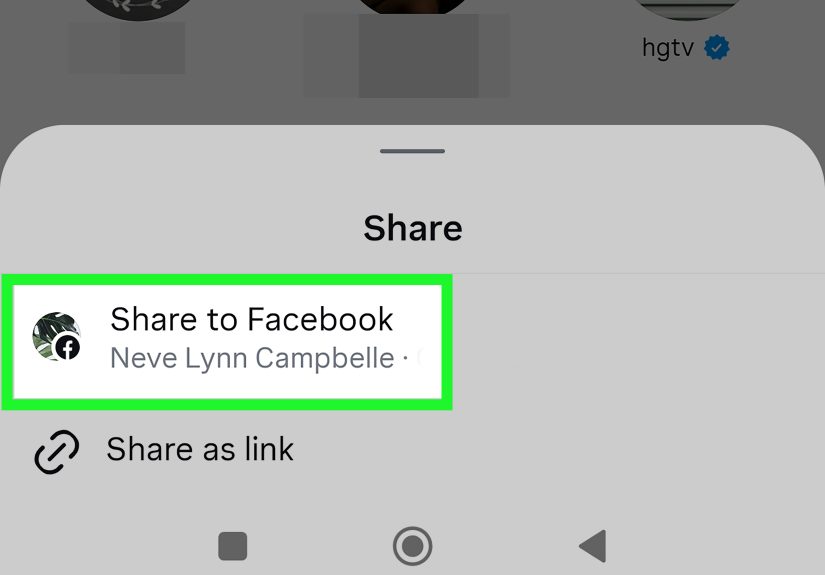
On Instagram, “sharing” usually starts with the share icon (often a paper airplane-style button).
Tap it and you’ll typically see options like:
- Add to story (turn the post into a sticker-style Story)
- Send in DM (share to one person or a group chat)
- Repost (if your account has the native repost feature)
- Copy link (share outside the app)
- Share to… (send to other apps on your phone)
What you see depends on your account type, region, app version, and the original poster’s privacy settings.
Translation: if your friend has an option you don’t, nobody is cursedInstagram just loves A/B testing.
Method 2: Repost a Post or Reel (Native Repost Feature)
Instagram’s native repost feature (rolling out broadly in recent updates) is the more “permanent” share.
Instead of living for 24 hours like a Story, reposts can show up in feeds and appear in a dedicated place on your profile,
depending on how Instagram is currently presenting it.
How to repost (when the feature is available)
- Open the post or Reel you want to repost (it must be shareable/public).
- Tap the repost icon (or open the share menu and choose Repost if that’s where it lives for you).
- Optional: Add a note (a short thought bubble/comment) to give context.
- Confirm the repost.
Why repost instead of “Add to story”?
- Longevity: reposts can last beyond 24 hours.
- Discovery: reposts may be recommended to your followers (and sometimes beyond).
- Context: you can attach a short note so your repost isn’t just “content teleportation.”
How to undo a repost
If you reposted something at 2:00 a.m. and woke up with regrets (we’ve all watched the same Reel 37 times),
you can typically tap the repost again or open the repost management view and remove/delete it.
Method 5: Repost the “Old-School” Way (Screenshot or Screen Recording)
Sometimes you want a repost on your feed and the native repost feature isn’t availableor you want a different layout,
or you’re sharing something like a carousel where you need a specific slide.
That’s when the screenshot method shows up, wearing a leather jacket and acting like it invented the internet.
How to repost using a screenshot (feed post)
- Take a screenshot of the post.
- Crop it so it looks intentional (goodbye, battery percentage and 47 notification icons).
- Create a new Instagram post and upload the cropped image.
- In the caption, credit the original creator clearly (tag them if possible).
- If the content is user-generated (UGC), get permissionespecially for brands.
How to repost a Reel manually
A simple screenshot won’t capture a Reel, so your options are:
- Share to Story (fastest, official).
- Repost (if available).
- Share link (DM or copy link).
- Create your own version with permission (e.g., using built-in remix-style tools if available for that content).
Permission and credit: the non-negotiables
If you didn’t create it, assume you need permission to republish it in your feedespecially for commercial use.
Crediting is polite. Permission is protection. Do both and you’ll sleep better.
Tips to Share Smarter (and Get More Engagement)
1) Add contextalways
A share without context is like sending someone a movie trailer with no message. Are you recommending it?
Mocking it? Planning your weekend around it? Add one line and your engagement improves instantly.
2) Use the right sharing lane for the goal
- Story share = quick exposure, time-sensitive, casual commentary
- Repost = longer-lasting share, more “official” amplification
- DM = personal, high-intent sharing, relationship-building
- Copy link = off-platform sharing, newsletters, texts, group chats elsewhere
3) For creators: optimize for “I have to send this to someone”
Share-worthy content usually has one of these triggers:
- Relatability: “This is literally you.”
- Utility: “We should save this.”
- Emotion: “This made me laugh/cry/spiral.”
- Identity: “This is my personality now.”
4) Track what people share (if you have Insights)
Shares and sends are strong signals. If one post gets fewer likes but a ton of shares,
that’s not a flopthat’s a “quiet hit” spreading through Stories and DMs.
Troubleshooting: Why You Can’t Share a Post (and How to Fix It)
Problem: “Add to story” is missing
Common reasons:
- The account is private or you don’t have access to the post.
- The creator has disabled sharing their posts to Stories.
- Your app version is outdated or the feature isn’t enabled for your account.
Fixes to try:
- Update Instagram to the latest version.
- Log out and back in (yes, the classic IT spell).
- Try another post from a clearly public account to confirm it’s not a one-post issue.
- Check your account settings and sharing permissions where available.
Problem: Repost button isn’t showing
- Native repost availability varies by account and rollout timing.
- The original post might not be eligible (privacy settings or restrictions).
If you don’t have the repost feature yet, you can still share via Story, DM, or linkand you can manually repost with permission.
Problem: People say they can’t open your shared link
- The post is from a private account.
- The viewer isn’t logged in or doesn’t have access.
- Sometimes the in-app browser is grumpy; opening in a normal browser can help.
Problem: You shared something and now you regret it
For Stories: delete the Story. For reposts: remove the repost. For DMs: you can often unsend, but don’t treat it like a time machine.
If it’s sensitive, take the privacy lesson and move on with dignity.
Quick FAQ
Can you share someone’s post to your Story if their account is private?
Generally, noif the post isn’t publicly shareable or you don’t have access, Instagram won’t offer Story sharing options.
Does Instagram notify someone when you share their post?
If you share via Story or repost, attribution is visible. If you send via DM, it’s private between you and the recipient.
Instagram’s notification behavior can vary, but assume the creator may see signals that their content is being shared widely.
Does Instagram notify screenshots?
For normal feed posts and most content, screenshot notifications are generally not the standard behavior. However,
disappearing messages in DMs can behave differently. When in doubt, use the built-in “Save” or sharing tools instead of screenshots.
Conclusion
Sharing on Instagram isn’t one featureit’s a whole ecosystem. The best method depends on what you’re trying to do:
spark quick attention (Story), amplify more permanently (Repost), talk to specific humans (DM), or take it off-platform (Copy link).
If you remember just one thing, make it this: add context. A single sentence turns a random share into a conversation starter,
and conversations are where Instagram engagement quietly lives.
Bonus: Real-World Sharing Experiences
Here’s what “sharing a post” looks like outside of a neat tutorialaka, the messy, human way people actually use Instagram every day.
1) The group chat becomes the real feed. A lot of people don’t discover their favorite content by scrolling anymore;
they discover it because a friend drops it in a group DM with a message like, “We’re doing this,” or “This is you,” or the timeless classic:
“I can’t breathe.” Sharing posts via DM is basically modern social planning. Restaurant recs, outfit ideas, weekend trips, workout routines
they often start as a single shared post, then evolve into a thread of reactions, follow-up links, and someone asking, “Okay but what time?”
2) Stories are the fastest “signal boost,” but context wins. When people share a post to their Story with no commentary,
viewers may tap, but they’re less likely to engage. Add one sentence and suddenly it feels like a recommendation, not a random repost.
For example, sharing a creator’s Reel with, “This explains it better than I ever could,” practically invites replies.
Sharing a friend’s announcement with, “Proud of you!!!” turns it into a mini celebration. The post is the content; your caption is the social glue.
3) Reposts feel more “official,” so people use them more carefully. With native reposting, many users treat reposts like
endorsements. They’ll repost something that aligns with their interests, values, or sense of humorand skip reposting anything that might
confuse followers without context. The repost note feature (when available) helps a lot here: a quick “This is the tutorial I used” or
“Hot take: I agree” turns reposting into personality, not just amplification.
4) Brands learn the hard way that permission matters. In the real world, a small business might see a customer post a glowing
review and think, “We should repost this everywhere.” That’s smart marketingif you do it responsibly. The best practice is simple:
DM the creator, ask for permission, and credit them clearly. It’s not just about avoiding awkwardness; it builds trust and community.
Customers who feel respected become repeat customers (and repeat sharers).
5) People “share to themselves” more than they admit. Whether it’s a gift idea, a recipe, a trip itinerary, or a Reel someone
wants to rewatch later, sending a post to your own DMs is a surprisingly common organization hack. It’s like bookmarking, but with better
labels (because you can add a message to yourself) and faster retrieval (because search in DMs can be easier than digging through saved folders).
The big takeaway from all these experiences is that sharing isn’t a single actionit’s communication. Use the method that fits the moment,
add context like a decent internet citizen, and you’ll stop “sharing posts” and start starting conversations. That’s the real Instagram superpower.