Table of Contents >> Show >> Hide
- Why Cleaning AirPods Matters
- What You Need to Clean AirPods Safely
- What Not to Do
- How to Clean AirPods the Right Way: Step by Step
- Model-Specific Notes for AirPods Owners
- How Often Should You Clean AirPods?
- Common Mistakes People Make When Cleaning AirPods
- What If Your AirPods Still Sound Bad After Cleaning?
- Conclusion
- Extra Experiences Related to “How to Clean AirPods the Right Way”
AirPods are tiny miracles of modern convenience. They also spend an alarming amount of time in your ears, your pockets, your gym bag, and the strange lint ecosystem living at the bottom of your hoodie. So yes, they get dirty. Fast.
If your earbuds sound muffled, feel grimy, refuse to charge properly, or look like they survived a snack accident, the fix is not panic, a kitchen sponge, or an aggressive blast of cleaner. The right way to clean AirPods is gentle, careful, and a little less dramatic than most people expect.
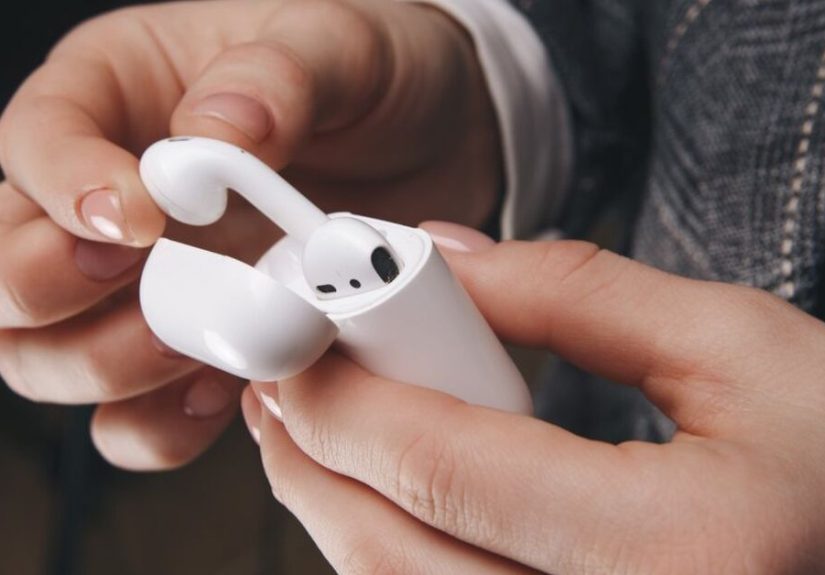
This guide breaks down how to clean AirPods safely, how to clean an AirPods case, how to remove earwax from AirPods without wrecking the speaker mesh, and what to avoid if you would like your earbuds to live a long and squeaky-clean life. Whether you own standard AirPods, AirPods Pro, or AirPods Max, the basic rule is the same: clean lightly, dry thoroughly, and never treat electronics like dinner plates.
Why Cleaning AirPods Matters
Cleaning AirPods is not just about appearances, although nobody wants their earbuds looking like they were excavated from an old backpack. Dirt, earwax, skin oil, and pocket lint can affect comfort, reduce sound quality, clog microphones, and interfere with charging. A dirty case can also undo all your good work by transferring dust and grime right back onto freshly cleaned earbuds.
In other words, dirty AirPods are the tech equivalent of washing your hands and then grabbing a muddy doorknob. Great effort. Terrible finish.
Regular maintenance also helps you spot problems early. If one AirPod sounds quieter than the other, or the case is not charging consistently, debris is often part of the story. Keeping things clean improves hygiene, preserves audio performance, and may help your earbuds last longer.
What You Need to Clean AirPods Safely
You do not need a laboratory, a hazmat suit, or a suspicious “miracle cleaner” from the internet. Most of the time, a simple kit works best:
- A soft, dry, lint-free microfiber cloth
- A dry cotton swab
- A clean, soft-bristled brush
- A little isopropyl alcohol for the charging case or exterior-only touch-ups
- For newer AirPods 3, AirPods 4, and newer AirPods Pro mesh cleaning, the specific Apple-style deep-clean method may also call for micellar water, distilled water, a soft children’s toothbrush, and a paper towel
The key is using tools that are soft, dry, and controlled. AirPods respond well to patience. They do not respond well to improvisation with butter knives, pins, or enough liquid to irrigate a garden.
What Not to Do
Before getting into the step-by-step method, let us talk about the fastest ways to make a bad situation worse.
- Do not run AirPods under water
- Do not soak them in any cleaner
- Do not spray liquid directly onto the earbuds or case
- Do not use bleach, hydrogen peroxide, or abrasive cleaners
- Do not jam sharp objects into speaker holes or charging ports
- Do not clean the mesh like you are sanding a deck
- Do not put them back in the case until they are fully dry
That last one matters more than people think. Moisture trapped in the charging case is a sneaky little villain. It can interfere with charging contacts and create a fresh round of problems right after you thought you solved everything.
How to Clean AirPods the Right Way: Step by Step
1. Start With the Exterior
Begin by removing the AirPods from the charging case and placing everything on a clean, dry surface. Use a soft microfiber cloth to wipe the exterior of each earbud. Focus on the stems, outer shell, and any surfaces that collect skin oil, lotion, sweat, or fingerprints.
If the outside has stubborn grime, use only a very lightly dampened cloth. The cloth should feel barely moist, not “just survived a rainstorm.” Wipe gently, then follow immediately with a dry lint-free cloth.
This first pass matters because it removes surface grime before you work on the smaller details. Skip it, and you may end up pushing dirt into seams and openings.
2. Clean the Speaker Mesh and Microphone Openings Gently
This is the delicate part. The speaker mesh and microphone openings are where earwax, dust, and lint love to gather, and where people are most likely to get overconfident.
Use a dry cotton swab or a dry, soft-bristled brush to loosen debris. Work slowly and use light pressure. Brush or roll debris out rather than forcing it deeper into the mesh. If the buildup is light, this may be all you need.
If you are cleaning newer AirPods 3, AirPods 4, or newer AirPods Pro models and the mesh is badly clogged, follow the model-specific deep-clean process recommended for those versions. That method is more specialized and uses micellar water and distilled water in a careful sequence. For everyday cleaning, though, dry and gentle remains the safest default.
The goal here is not perfection on the first swipe. The goal is progress without damage. Slow and boring wins. Sorry to every action movie ever made.
3. Remove and Clean AirPods Pro Ear Tips Separately
If you have AirPods Pro, remove the silicone ear tips before cleaning. This is one of the easiest wins in the whole process because the tips can collect oil and debris faster than you think.
Rinse the ear tips with water only. Skip soap and household cleaners. Dry them thoroughly with a soft cloth and leave them off until completely dry before reattaching. If water is trapped inside the tip, tap it gently onto a dry cloth with the opening facing down.
This small step can make a big difference in comfort, seal, and sound. Clean ear tips often improve the fit enough that people think their earbuds suddenly got smarter. They did not. They just stopped wearing tiny greasy hats.
4. Clean the Charging Case
The charging case deserves its own spotlight because it is part charger, part dirt warehouse. Use a soft, dry, lint-free cloth to wipe the outside and inside surfaces. For corners and edges, a dry cotton swab or soft brush helps lift lint and dust.
If the case is especially grimy, you can slightly dampen the cloth with isopropyl alcohol. Slightly is doing heroic work in that sentence. The cloth should never drip, and no liquid should enter the charging ports.
For the charging connector area, use a clean, dry, soft-bristled brush. Be especially gentle around the metal contacts. Do not poke tools into the port. Do not scrape. Do not treat the case like you are trying to dig treasure out of a sidewalk crack.
Once the case is clean, leave it open and allow it to dry completely.
5. Let Everything Dry Before Reassembly
After cleaning, give all parts time to dry fully before placing the AirPods back in the case or putting them in your ears. If you used any moisture at all, this matters. Rushing this step can lead to charging problems, trapped moisture, or damage over time.
Think of drying time as part of the cleaning process, not the boring part after it. Electronics and impatience are famously bad roommates.
Model-Specific Notes for AirPods Owners
Standard AirPods
For standard AirPods, especially older generations, dry cleaning is the safest routine for regular care. Wipe the outside, use a cotton swab or soft brush around the mesh, and clean the case separately. If you own AirPods 3 or AirPods 4 and the mesh is heavily clogged, there is now a more specific deep-clean method designed for those models. Follow that exactly rather than inventing your own science experiment.
AirPods Pro
AirPods Pro need a bit more attention because of the removable tips and extra mesh areas. Clean the tips separately, keep the body dry except for a lightly dampened cloth when needed, and be patient with the mesh. If the fit feels off, the sound seems muffled, or noise cancellation feels weaker, dirty tips or blocked mesh may be the culprit.
AirPods Max
AirPods Max are the overachievers of the family: premium sound, premium design, premium ability to attract fingerprints. The exterior can be gently wiped, and disinfecting wipes may be used on exterior surfaces only. Avoid the knit mesh canopy and ear cushions unless you are following the proper model-specific cleaning instructions. Keep moisture away from all openings, and never submerge any part.
How Often Should You Clean AirPods?
If you use your AirPods daily, a quick wipe every few days is smart. A deeper clean once a week or whenever you see visible buildup is even better. If you wear them during workouts, on hot commutes, or while chasing life’s chaos from sunrise to midnight, clean them more often.
A simple routine works well:
- Quick exterior wipe: every few days
- Mesh check and light detail cleaning: weekly
- Charging case cleanup: weekly or biweekly
- AirPods Pro ear tip rinse: as needed, especially after sweaty use
Regular light cleaning is better than rare, aggressive deep cleaning. It is easier, safer, and much less gross.
Common Mistakes People Make When Cleaning AirPods
One of the biggest mistakes is using too much force. People see wax in the mesh and go after it like they are scrubbing a burnt pan. Bad idea. The mesh is delicate, and pushing harder usually pushes debris deeper.
Another common mistake is using too much liquid. Water, alcohol, or cleaner can be useful in very controlled situations, but flooding the earbuds is not “extra clean.” It is just extra risky.
People also forget the charging case, which is like showering and then putting on the same dirty socks. The case matters. If the inside is dusty or greasy, your clean earbuds are coming right back out dirty.
And finally, many users wait too long. The longer buildup sits, the harder it is to remove. A little maintenance saves a lot of frustration.
What If Your AirPods Still Sound Bad After Cleaning?
If your AirPods still sound quiet, muffled, or uneven after a careful cleaning, there may be another issue. Check the fit, confirm both earbuds are charged, inspect the case for debris around the charging contacts, and make sure your device settings are not causing a balance problem.
If one AirPod still is not charging or audio remains weak, the problem may go beyond dirt. At that point, troubleshooting software, battery health, or hardware damage makes more sense than another cleaning round.
Translation: if your AirPods have already been cleaned properly, do not keep scrubbing them out of desperation like a maniac polishing a spoon on a sinking ship.
Conclusion
The right way to clean AirPods is simple: use soft tools, go easy on the mesh, keep liquid away from openings, clean the case too, and let everything dry completely before use. That is the formula. No drama. No soaking. No mystery chemicals.
Clean AirPods look better, feel better, sound better, and charge more reliably. They are also less likely to make you recoil when you happen to catch a close-up in bright sunlight. And really, is that not the dream?
If you make AirPods cleaning part of your regular routine, you will spend less time dealing with crusty buildup and more time listening to whatever gets you through the day. Podcasts, playlists, voice notes, accidental pocket recordings of your own footsteps, all of it.
Extra Experiences Related to “How to Clean AirPods the Right Way”
One of the most common experiences people have is not realizing their AirPods are dirty until something starts going wrong. At first, the sound seems a little softer. Then one earbud feels quieter than the other. Then the case suddenly does not charge as reliably, and the owner begins a dramatic internal monologue about how the earbuds are “probably dying.” In reality, many of these situations begin with ordinary buildup: wax on the mesh, lint in the case, skin oil on the stems, and a charging port full of pocket fuzz that has quietly been building a tiny civilization for months.
Another real-world pattern is workout use. AirPods go to the gym, on runs, on long walks, and on hot commutes. Sweat may not look dramatic, but over time it mixes with dust and oil and creates that sticky film nobody wants to discuss at lunch. People who wipe their AirPods after sweaty use usually notice fewer problems with odor, fit, and grime. People who do not wipe them tend to discover the consequences during an unfortunate daylight inspection, which is never a spiritually uplifting moment.
AirPods Pro owners often talk about the ear tips like they are a separate little cleaning mystery, and honestly, they are. Tips can collect residue fast, especially if you use them for long listening sessions or workouts. Cleaning the tips separately usually makes the earbuds feel noticeably fresher. Some users are surprised that better tip hygiene also improves the seal, which can make music sound fuller and noise canceling feel stronger. It is a tiny maintenance step with a very satisfying payoff.
The charging case is where many people underestimate the problem. They clean the earbuds, admire the result, and then drop them straight back into a dusty case lined with lint and debris. Then they wonder why the clean never lasts. Once people start cleaning the case regularly, they often notice fewer charging issues and less grime coming back onto the earbuds. It is not glamorous, but then again, neither is explaining why your expensive earbuds look like they were stored in a cereal box.
There is also the emotional side of the process, which is strangely universal. People often avoid cleaning AirPods because they think it will be difficult or risky. Then they finally do it carefully, following the right method, and realize the whole job takes only a few minutes. The earbuds look brighter, the sound may improve, and the case stops looking like a tiny glossy lint magnet. That small before-and-after moment feels weirdly rewarding, like organizing a drawer you have been ignoring for six months.
In the end, the biggest lesson from real AirPods cleaning experiences is simple: gentle, frequent maintenance beats heroic rescue attempts every time. The best results usually come from small habits, not emergency scrubbing sessions. Wipe them down, clean the case, check the mesh, and keep the chaos under control. Your ears, your audio, and your future self will all be grateful.