Table of Contents >> Show >> Hide
- Can You Really See if Someone Is Online on Snapchat?
- 1. Look for the Green Dot Activity Indicator
- 2. Check Snap Map for “Here Just Now” or Recent Activity
- 3. Open the Chat and Watch for Their Bitmoji or Chat Presence
- 4. Watch for the Typing Notification
- 5. Check Message Status: Delivered, Opened, and Viewed
- 6. Look for Recent Story Activity
- 7. Notice Snapscore Changes, Streak Activity, and Other Indirect Clues
- What If You Cannot Tell Whether Someone Is Online?
- Why Snapchat Online Status Can Be Inaccurate
- Respecting Privacy While Checking Snapchat Activity
- Quick Comparison: Which Snapchat Online Clues Are Most Reliable?
- Personal Experience: What Actually Works When Checking Snapchat Activity
- Conclusion
Snapchat is built for quick messages, disappearing Snaps, and the occasional “wait, are they online or just ignoring me?” spiral. Unlike some social apps, Snapchat does not always show a simple “online now” label for every user. Instead, it gives you a few clues: a green activity dot, Snap Map updates, chat status, opened messages, typing alerts, Story activity, and other small signals hiding in plain sight.
Before we jump in, here is the friendly-but-important reality check: no method is perfect. Snapchat’s privacy settings, Ghost Mode, notification delays, battery settings, app glitches, and someone’s personal choices can all affect what you see. In other words, Snapchat is not a courtroom witness. Treat these clues as hints, not proof.
This guide explains seven practical ways to know if someone is online on Snapchat, what each signal actually means, and how to avoid overthinking a delayed reply like it is a detective documentary.
Can You Really See if Someone Is Online on Snapchat?
Yes and no. Snapchat can show signs that someone has been active recently, but it does not always confirm that they are actively staring at their phone right this second. Some features show recent activity. Others show direct interaction, such as opening your Chat or typing a reply. Snap Map may show a location update if the person has enabled location sharing. Meanwhile, privacy settings can hide or limit many of these signs.
The best approach is to combine several indicators instead of relying on one clue. For example, a green dot may mean the person was active recently, but an “opened” Chat plus a typing notification is a much stronger sign that they are currently using Snapchat.
1. Look for the Green Dot Activity Indicator
The green dot is one of Snapchat’s clearest clues. When you see a green dot near someone’s avatar, it generally means they have been active on Snapchat recently. This feature is called the Activity Indicator, and users can turn it off in their privacy settings.
What the green dot means
The green dot does not always mean “online this exact second.” It is better understood as “recently active.” That distinction matters. Someone may have opened Snapchat a few minutes ago, checked a Story, replied to another friend, and then put their phone down. The green dot may still appear even though they are no longer using the app.
How to check it
Open Snapchat and look at areas where friend avatars appear, such as the Add Friends screen, Chat list, or profile-related sections. If the Activity Indicator is visible, you may see a small green dot near the person’s Bitmoji or avatar.
However, if you do not see the dot, do not immediately assume they are offline. They may have disabled the Activity Indicator, changed privacy settings, lost internet connection, or simply not used Snapchat recently enough for the dot to appear.
2. Check Snap Map for “Here Just Now” or Recent Activity
Snap Map can be another useful clue, but only if the person shares their location with you. When enabled, Snap Map may show a friend’s Bitmoji and a recent location update. Sometimes you may see wording that suggests they were “here just now” or active a certain number of minutes ago.
How Snap Map helps
If someone’s location updates very recently, it may mean they opened Snapchat or allowed background location sharing. If their Bitmoji shows a recent timestamp, that can suggest they were active around that time. But again, this is not a perfect online detector. Location sharing depends on settings, permissions, and whether the person has chosen to share with you.
Privacy settings can change everything
Snapchat users can turn on Ghost Mode, limit location sharing to select friends, or adjust device-level location permissions. If someone uses Ghost Mode, you will not see their location on Snap Map. If their phone location permission is limited, the map may update less often or expire after a certain period.
Use Snap Map respectfully. It is meant to help friends connect, not to track someone’s every movement like a tiny digital private investigator with anxiety.
3. Open the Chat and Watch for Their Bitmoji or Chat Presence
Snapchat Chat can show live interaction clues. When someone is actively viewing your chat, you may see their Bitmoji or an indicator showing they are present in the conversation. This is one of the stronger signs that a person is currently on Snapchat and looking at your chat.
What to look for
Open your conversation with the person and wait briefly. If they are in the Chat at the same time, Snapchat may show their Bitmoji near the bottom of the screen or another presence indicator. In some cases, Snapchat+ features may provide additional visibility, such as seeing when a friend is present in your Chat even if they are not typing.
Why it may not appear
This feature is not guaranteed for every user, every account, or every situation. They may not be in your specific chat. They may be using another part of Snapchat, such as Stories or Spotlight. They may have privacy settings or app conditions that prevent the indicator from showing. So, if their Bitmoji does not pop up, it does not automatically mean they are ignoring you.
4. Watch for the Typing Notification
A typing notification is one of the most direct signs that someone is active in your conversation. If Snapchat tells you the person is typing, they are almost certainly in the app and interacting with your Chat at that moment.
What typing really tells you
Typing means the person has opened the conversation and started entering text. It does not always mean they will send the message. We have all typed a dramatic paragraph, deleted it, typed “lol,” deleted that too, and then sent nothing. Humanity is complicated. Snapchat typing indicators are, too.
Why typing notifications can feel confusing
Sometimes a typing alert appears, but no message follows. This can happen if the person changes their mind, exits the chat, loses connection, or accidentally taps the keyboard. It is a strong sign of current activity, but it is not a promise that a reply is coming.
5. Check Message Status: Delivered, Opened, and Viewed
Snapchat’s Chat screen uses status labels and icons to show what happened to your message. “Delivered” means your message reached them. “Opened” means they opened it. For Snaps, you may also see viewed or replay-related indicators depending on the interaction.
How message status helps
If you send a Chat and it quickly changes from delivered to opened, that is a solid sign the person was recently active. If they open your message while you are still watching the Chat, they may currently be online. If the message stays on delivered for hours, they may not have opened Snapchat, may be busy, may have notifications off, or may simply not be ready to respond.
Do not overread “opened”
Opening a message does not always mean someone is available for a conversation. They might have checked it quickly in class, at work, in line at the store, or while their food was getting cold. An opened message is evidence of activity, not evidence of intent.
6. Look for Recent Story Activity
Stories can reveal whether someone has been active recently. If a person posts a new Story, watches your Story, reacts to a Story, or replies to one, they have used Snapchat recently. This is not always a real-time signal, but it is helpful when combined with other clues.
Ways Stories can show activity
If someone just posted a Story, they were recently on Snapchat. If they viewed your Story a few minutes ago, that also suggests recent activity. If they reply to your Story, that is an even clearer sign because they directly interacted with your content.
However, Story activity has limits. People can watch Stories quickly without opening Chats. They can post something and then leave the app. They can also view your Story without being in the mood to message. Shocking, yes, but sometimes people use social apps in tiny snack-sized sessions.
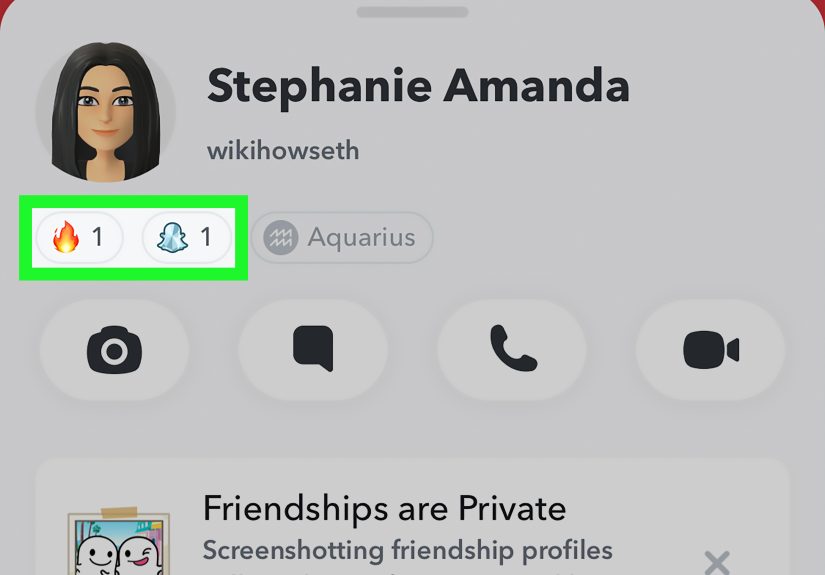
7. Notice Snapscore Changes, Streak Activity, and Other Indirect Clues
Snapscore, Snapstreaks, and recent Snap exchanges can provide indirect clues, but they are the least reliable methods on this list. A Snapscore may increase when someone sends or receives Snaps, but it does not update in a perfectly transparent, instant, or easy-to-verify way for every situation.
When indirect clues help
If someone’s Snapscore changes, they may have been active. If your Snapstreak updates, they interacted with Snapchat. If they send Snaps to a group or appear in shared activity, that may suggest they are online or were online recently.
Why indirect clues are weak
These signs can be delayed, incomplete, or misleading. Snapscore does not tell you who they talked to, what they did, or whether they are online right now. It is a loose signal, not a GPS tracker for social behavior. Use it carefully, and do not let it become the reason you refresh someone’s profile twelve times before breakfast.
What If You Cannot Tell Whether Someone Is Online?
If none of these methods gives a clear answer, the most likely explanation is simple: Snapchat is protecting user privacy, the person has limited visibility settings, or there is not enough recent activity to show. That is normal.
It is also worth remembering that being online does not mean someone is available. People open Snapchat for many reasons: checking memories, using the camera, watching Stories, looking at Spotlight, replying to one urgent message, or sending a quick Snap to maintain a streak. Online activity is not the same as emotional availability, friendship quality, or interest level.
Why Snapchat Online Status Can Be Inaccurate
Snapchat online clues can be confusing because several things affect them behind the scenes. Privacy settings may hide activity. Ghost Mode may hide location. Background app refresh may update certain features differently across phones. A weak connection can delay message status. App updates may change how features appear. Snapchat+ features can also create differences between what one user sees and what another user sees.
That is why the smartest way to read Snapchat activity is to think in probabilities. A typing notification is highly likely to mean the person is active. A green dot means recent activity, not guaranteed live activity. A Snap Map timestamp can be useful, but it depends heavily on location settings. A Snapscore change is only a soft clue.
Respecting Privacy While Checking Snapchat Activity
There is nothing wrong with wondering whether someone is online. Everyone has had that moment where a message sits on delivered and suddenly becomes the most interesting object in the universe. But there is a line between curiosity and unhealthy monitoring.
A good rule: use Snapchat’s built-in features only, respect privacy settings, and do not use third-party tracking apps or shady tools that claim to reveal hidden activity. Those tools can be unsafe, inaccurate, or designed to collect your data. If someone has chosen not to share their location or activity, that choice deserves respect.
If the situation matters, ask directly. A simple “Hey, are you free to talk?” is often more effective than trying to decode a green dot, a Bitmoji, a half-updated Snap Map, and the emotional meaning of a two-hour delay.
Quick Comparison: Which Snapchat Online Clues Are Most Reliable?
| Method | What It Suggests | Reliability |
|---|---|---|
| Typing notification | The person is actively in your Chat | High |
| Chat presence or Bitmoji | The person may be viewing your conversation | High to medium |
| Opened message | They recently viewed your Chat or Snap | Medium to high |
| Green dot | They were active recently | Medium |
| Snap Map timestamp | Recent app or location activity | Medium |
| Story activity | They recently posted, viewed, or replied | Medium |
| Snapscore or streak changes | Possible recent Snapchat activity | Low to medium |
Personal Experience: What Actually Works When Checking Snapchat Activity
In everyday use, the most helpful way to know if someone is online on Snapchat is not to obsess over one single feature. It is to look for a pattern. For example, if a friend’s green dot appears, then they open your message, and then you see a typing notification, you can feel pretty confident they are active. But if you only see a green dot, that is not enough to conclude much. They may have opened the app earlier and moved on with their day.
One common experience is seeing someone active on Snap Map but not receiving a reply. This can feel personal, especially when the message is important. But Snap Map activity does not always mean the person is sitting there reading chats. They may have opened Snapchat briefly, checked a memory, used the camera, or had location sharing update in the background. That is why Snap Map should be treated as a context clue, not a final answer.
Another familiar situation is the typing notification that disappears. This one is practically a modern emotional roller coaster. You see “typing,” prepare yourself for the reply, and then nothing arrives. In most cases, it simply means the person started typing and stopped. Maybe they got distracted. Maybe they wanted to answer later. Maybe they realized their response needed more than three sleepy words and a random emoji. The typing alert is useful, but it does not guarantee a message.
Message status is usually more practical. If your Chat changes to opened, you know the person saw it. But even then, the meaning depends on the situation. Someone can open a message during a busy moment and plan to answer later. That is why it helps to avoid turning “opened” into a dramatic courtroom verdict. It tells you what happened in the app, not what happened in someone’s brain.
From a realistic point of view, the healthiest method is to combine Snapchat clues with normal communication. If you need a quick answer, send a clear message. Instead of “hey,” try “Are you free to talk for five minutes?” or “Can you reply when you get a chance? I need your opinion on something.” Clear messages reduce guessing. They also save you from refreshing Chat like you are waiting for concert tickets.
It is also helpful to remember that people use Snapchat differently. Some users reply instantly and keep streaks like sacred family heirlooms. Others open the app once, watch three Stories, forget why they opened it, and vanish. A delayed reply does not always mean someone is avoiding you. It may simply mean they are busy, tired, offline, overwhelmed, or not in a chatty mood.
The best experience-based advice is this: use the strongest signs first. Typing notifications, opened messages, and live chat presence are more meaningful than Snapscore changes or vague activity dots. Use Snap Map only when location sharing is already mutual and appropriate. Avoid third-party apps that promise secret online tracking. They often create more problems than they solve, and many are not worth trusting with your account or personal data.
Finally, do not let Snapchat signals control your mood. Apps are designed to show tiny bits of information, not complete emotional truth. A green dot cannot explain a friendship. A timestamp cannot explain someone’s day. A Snapscore cannot explain whether someone cares. When in doubt, communicate directly, give people space, and remember that sometimes the healthiest notification is no notification at all.
Conclusion
Knowing if someone is online on Snapchat is possible, but it takes a little interpretation. The best clues include the green dot Activity Indicator, Snap Map updates, Chat presence, typing notifications, opened message status, Story activity, and indirect signs like Snapscore or streak changes. Still, none of these methods is perfect. Privacy settings, Ghost Mode, app delays, and personal habits can all change what you see.
The smartest strategy is to use Snapchat’s built-in signals responsibly. If someone appears recently active but does not reply, avoid jumping to conclusions. They may be busy, distracted, or simply using the app in a different way. When the conversation matters, ask directly and respectfully. That works better than trying to decode a Bitmoji like it is holding ancient secrets.