Table of Contents >> Show >> Hide
- Why Your Facebook Profile Picture Matters
- How to Make a Good Facebook Profile Picture: 15 Steps
- 1. Start With the Right Image Size
- 2. Remember the Circle Crop
- 3. Choose a Photo That Looks Like You Now
- 4. Make Your Face the Main Focus
- 5. Use Soft, Natural Lighting
- 6. Avoid Backlighting
- 7. Pick a Clean Background
- 8. Wear Something That Fits Your Purpose
- 9. Smile Naturally
- 10. Look Toward the Camera
- 11. Take the Photo at Eye Level
- 12. Use Portrait Mode Carefully
- 13. Edit Lightly
- 14. Preview the Photo as a Small Thumbnail
- 15. Update It When Your Look or Purpose Changes
- Common Facebook Profile Picture Mistakes to Avoid
- Best Facebook Profile Picture Ideas
- Quick Checklist Before Uploading
- Extra Experience: What Actually Works When Taking a Better Facebook Profile Picture
- Conclusion
Your Facebook profile picture is tiny, round, and surprisingly powerful. It shows up beside your comments, friend requests, Messenger chats, group posts, birthday wishes, marketplace listings, and every “just checking in” update you share. In other words, it is not just a photo. It is your digital handshake, your mini billboard, and occasionally your “please believe I am a real human” badge.
The good news? You do not need a studio, a celebrity photographer, or the cheekbones of a shampoo commercial to create a great Facebook profile picture. A good profile photo is usually simple: clear face, clean lighting, friendly expression, centered crop, and enough personality to feel like you. This guide breaks the process into 15 practical steps so you can make a Facebook profile picture that looks sharp, trustworthy, and memorable without looking like you tried so hard your camera needed a vacation.
Why Your Facebook Profile Picture Matters
Before we get into the steps, let’s be honest: people make quick judgments online. Your profile picture helps friends recognize you, helps acquaintances decide whether they are looking at the right person, and helps new contacts feel more comfortable interacting with you. On Facebook, your profile picture is also displayed in a circular crop in many places, so a photo that looks fine in your gallery may suddenly lose your forehead, your logo, or half your dog when uploaded.
A strong Facebook profile picture should answer three questions quickly: Who is this? Are they approachable? Does this profile look authentic? The best photo does not have to be perfect. It just has to be clear, current, and intentional.
How to Make a Good Facebook Profile Picture: 15 Steps
1. Start With the Right Image Size
For best results, upload a square image. Facebook commonly recommends a profile picture around 320 x 320 pixels or larger for quality, while many design tools suggest using 400 x 400 pixels or higher to keep the image crisp across devices. If you have a high-resolution photo, even better. You can crop it down without turning your face into a blurry potato.
A practical target is 800 x 800 pixels. It gives you enough detail for sharp display, while staying easy to crop and upload. Avoid tiny screenshots, heavily compressed images, or photos pulled from old messaging apps. Those often look grainy once Facebook processes them.
2. Remember the Circle Crop
Facebook stores your uploaded profile image as a square, but it often displays it as a circle. That means the corners are danger zones. Do not place important details near the edges, such as your face, brand logo, text, or your cat’s dramatic tail.
Keep your face or main subject centered. Leave breathing room above your head and around your shoulders. If you are using a business logo, make sure the logo sits safely in the middle so the circular crop does not slice off letters.
3. Choose a Photo That Looks Like You Now
Your Facebook profile picture should help people recognize you in real life. A photo from 2014 may have emotional value, but if people need a detective board and red string to connect it to your current face, it is time for an update.
Use a recent image where your face is easy to see. This is especially important if you use Facebook for networking, community groups, local selling, family communication, or business pages. A current photo builds trust faster than a mysterious silhouette or a vacation shot from three haircuts ago.
4. Make Your Face the Main Focus
For a personal Facebook profile picture, your face should take up a generous portion of the frame. A good rule is to crop from around the upper chest or shoulders to just above the head. This keeps your expression visible even when the photo appears as a small thumbnail.
A full-body beach photo might be beautiful, but as a profile picture, it can turn into “person standing next to blue rectangle.” Save wide scenic shots for your cover photo or timeline. Your profile picture’s job is recognition.
5. Use Soft, Natural Lighting
Lighting can make or break your profile picture. Soft natural light is usually the easiest and most flattering choice. Stand near a window, face the light, and avoid direct harsh sunlight that creates strong shadows under your eyes and nose.
Outdoor photos can work beautifully, especially during early morning or late afternoon when the light is gentler. Midday sun, however, can be unforgiving. It has a way of making everyone look like they are being interrogated by the sky.
6. Avoid Backlighting
If the brightest light source is behind you, your face may look dark or washed out. This happens when you stand in front of a bright window, sunset, or shiny background. The camera exposes for the bright area, and your face becomes a mysterious shadow.
Instead, face the light. If you are indoors, place the camera between you and the window. If you are outdoors, turn so the light falls evenly across your face. The goal is simple: let people see you.
7. Pick a Clean Background
A good Facebook profile picture does not need an expensive background. A plain wall, greenery, a tidy room, a brick wall, or a softly blurred outdoor setting can all work well. What you want to avoid is visual chaos.
Busy backgrounds compete with your face. Laundry piles, crowded restaurants, cluttered desks, random strangers, and suspiciously leaning floor lamps can all steal attention. Before you take the photo, scan the background. If something looks distracting, move three feet to the side. Congratulations, you are now an art director.
8. Wear Something That Fits Your Purpose
Your outfit should match how you use Facebook. For a personal profile, wear something that feels like you but still looks neat. For a business owner, freelancer, creator, or public-facing professional, choose clothing that supports your brand image.
Solid colors often photograph better than tiny patterns, which can create visual noise. Avoid clothing that blends into the background. If the wall is white, a white shirt may make your head look like it is floating through space. Contrast is your friend.
9. Smile Naturally
A good smile makes a profile picture feel warm and approachable. You do not need a huge grin unless that is your natural style. A relaxed, genuine smile often works best.
Here is a simple trick: think of someone you like right before the photo is taken. Or laugh lightly, then take the photo as your expression settles. This avoids the frozen “I have been smiling for 47 seconds” look that happens when someone says, “Hold it, one more,” twelve times.
10. Look Toward the Camera
Eye contact creates connection. Looking into the camera helps your profile picture feel direct and confident. You do not have to stare dramatically into the lens like you are solving a mystery, but your eyes should be visible and engaged.
If you prefer a candid look, you can glance slightly away, but be careful. Too much side profile may reduce recognizability in a small circular thumbnail. For most users, facing the camera or turning slightly at an angle is the safest choice.
11. Take the Photo at Eye Level
Camera angle matters. A camera placed too low can create an unflattering upward angle. A camera placed too high can feel overly posed or selfie-heavy. Eye level usually looks natural and balanced.
If you are taking the photo yourself, use a tripod, a stack of books, or a stable surface. Set a timer so you can step back, relax your shoulders, and avoid the stretched-arm selfie effect. Your phone does not need to be fancy; it just needs to be steady.
12. Use Portrait Mode Carefully
Portrait mode can create a soft background blur that makes your face stand out. Used well, it gives your profile picture a polished look. Used aggressively, it can blur hair, glasses, ears, or edges in strange ways.
Take a few shots with portrait mode and a few without it. Compare them closely before uploading. If the blur looks natural, great. If your shoulder appears to be dissolving into another dimension, choose the regular photo.
13. Edit Lightly
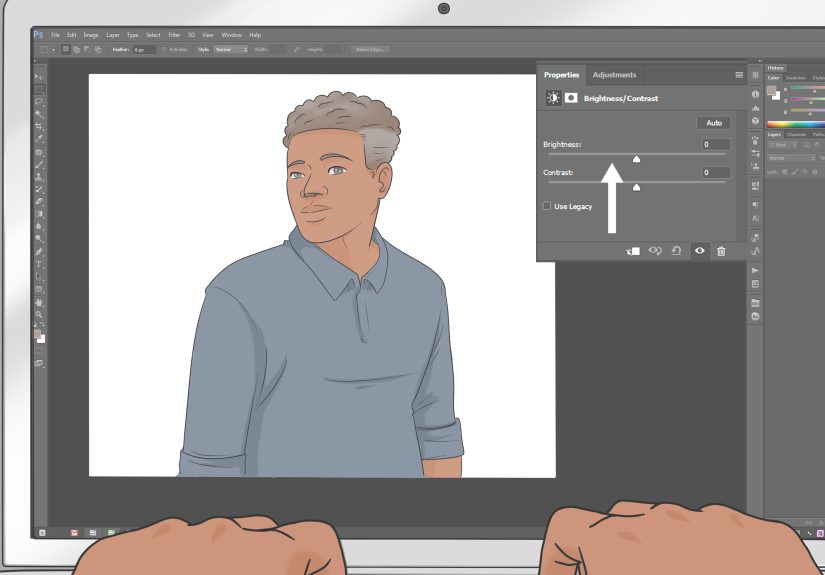
Editing should improve the photo, not replace reality. Adjust brightness, contrast, sharpness, and warmth if needed. Crop carefully. Remove small distractions if your editing app allows it. But avoid filters that change your face too much, oversmooth your skin, or make the colors look radioactive.
A good Facebook profile picture should look like you on a very good day, not like a wax statue with Wi-Fi. Keep skin texture natural, eyes clear, and colors believable.
14. Preview the Photo as a Small Thumbnail
Before making the image your official profile picture, preview it small. This is where many photos fail. A picture that looks great full-size may become confusing once reduced to a tiny circle.
Ask yourself: Can I recognize my face? Is the crop clean? Are my eyes visible? Is anything important cut off? Does the background still make sense? If the answer is no, crop tighter or choose a simpler image.
15. Update It When Your Look or Purpose Changes
You do not need to change your Facebook profile picture every week. That might make your friends wonder whether you have entered a personal branding competition. But you should update it when it no longer represents you.
Consider a refresh after a major haircut, career change, brand update, move, graduation, new business launch, or simply when your current photo feels outdated. A fresh profile picture can make your account feel more active and authentic.
Common Facebook Profile Picture Mistakes to Avoid
Using a Group Photo
Group photos are fun for memories, but they are terrible for profile pictures. If people have to guess which person is you, the image is not doing its job. Use a solo photo instead.
Choosing a Photo With Too Much Text
Text rarely works well in a small circular crop. If you are making a profile picture for a business page, use a simple logo or icon. Keep details large, centered, and readable.
Overusing Filters
Filters can be fun, but heavy filters may make your photo look dated or artificial. Keep edits clean and timeless. Your future self will thank you when the “neon sparkle vampire cloud” filter is no longer trending.
Uploading a Blurry Image
Blurry profile pictures make profiles look less trustworthy. Start with a sharp image, avoid digital zoom, and upload a square version with enough resolution.
Best Facebook Profile Picture Ideas
For Personal Profiles
Use a friendly headshot with soft lighting, a simple background, and a natural smile. A casual outdoor portrait works well if your face remains the focus. You can include subtle personality through clothing, color, or setting.
For Professionals
Choose a polished head-and-shoulders photo. Wear clothing that matches your field. A consultant, teacher, designer, realtor, or coach may benefit from a clear, approachable image that balances warmth and credibility.
For Creators
Let your personality show. Use color, props, or a creative background, but keep your face recognizable. If you are a musician, artist, chef, gamer, or content creator, your profile picture can reflect your niche without becoming cluttered.
For Business Pages
Use a logo, brand mark, or professional founder photo. Keep it simple because Facebook displays page profile images in small spaces. Avoid long taglines or detailed graphics that become unreadable.
Quick Checklist Before Uploading
- The image is square and at least 320 x 320 pixels.
- Your face or logo is centered for the circular crop.
- The photo is clear, sharp, and well-lit.
- The background is clean and not distracting.
- Your expression looks natural and approachable.
- The image still works as a small thumbnail.
- The photo looks current and authentic.
Extra Experience: What Actually Works When Taking a Better Facebook Profile Picture
After helping many people choose or improve profile-style photos, one pattern becomes clear: the best Facebook profile picture is rarely the most dramatic one. It is usually the simplest, clearest, and most honest image in the camera roll. People often overlook the photo where they are relaxed and well-lit because they are chasing something more “impressive.” But on Facebook, impressive is not always the goal. Recognizable, warm, and trustworthy wins.
One useful experience is to take more photos than you think you need. Do not take two pictures and declare the mission complete. Take 30 to 50 shots in one session. Change your angle slightly. Try smiling with teeth, smiling softly, and resting your face naturally. Move closer to the window. Step away from the background. Turn your shoulders a little. Tiny adjustments can make a big difference, and the best shot is often hiding somewhere in the middle of the batch.
Another practical lesson: ask someone else to take the photo if possible. Selfies can work, but a photo taken by another person usually looks more natural because your arm is not doing secret gymnastics outside the frame. Ask a friend to hold the phone at eye level and take several bursts. Tell them not to count down every time, because countdowns can make people freeze. Casual conversation while shooting often produces better expressions.
Lighting is the easiest upgrade. If a photo looks bad, check the light before blaming your face. Most people look better in soft, even light than under ceiling bulbs or direct sun. Stand near a large window during the day, turn off harsh overhead lights, and face the window. This simple setup can make a regular phone photo look much more polished. You do not need fancy gear; you need light that behaves itself.
Cropping is another area where people accidentally weaken good photos. A beautiful portrait can fail as a Facebook profile picture if the face is too far away. Because profile images appear small in comments and notifications, crop closer than you would for a normal social post. Keep the head and shoulders visible, but make sure the face is the star. Think “friendly introduction,” not “Where’s Waldo: Facebook Edition.”
One final experience-based tip: get feedback before uploading. Send two or three options to a trusted friend and ask, “Which one looks most like me and feels most approachable?” Do not ask too many people, or you will receive twelve opinions and a mild identity crisis. A small amount of feedback can help you notice things you missed, such as a distracting background object, awkward crop, or overly dark exposure.
The best Facebook profile picture is not about pretending to be someone else. It is about presenting yourself clearly. When your photo is current, well-lit, centered, and friendly, it quietly does its job every time you post, comment, or connect. That is the real win: a profile picture that works hard without looking like it is trying too hard.
Conclusion
Making a good Facebook profile picture is easier when you focus on the basics: use a clear square image, center your face or logo, plan for the circular crop, choose soft lighting, simplify the background, and keep your expression natural. Whether you are refreshing a personal profile, building trust in community groups, or improving a business page, your profile picture should make people recognize you quickly and feel comfortable engaging with you.
Do not overcomplicate it. You do not need a magazine cover. You need a sharp, friendly, authentic image that looks good small and feels true to you. Take a few extra photos, crop carefully, edit lightly, and preview before uploading. Your future comments, messages, and friend requests will look better for it.
Note: This article was written from current best practices for Facebook image sizing, circular profile-photo cropping, portrait composition, lighting, and social media profile-photo optimization.