Table of Contents >> Show >> Hide
- Why Use ChatGPT for Resume Writing?
- What ChatGPT Can Do Well and What It Should Never Do
- Step-by-Step: How to Use ChatGPT to Write a Resume
- Step 1: Gather your raw material first
- Step 2: Ask ChatGPT to analyze the job description
- Step 3: Choose the right resume structure
- Step 4: Turn job duties into accomplishment-driven bullet points
- Step 5: Quantify everything you reasonably can
- Step 6: Write a professional summary that actually says something
- Step 7: Make your resume ATS-friendly
- Step 8: Protect your privacy
- Step 9: Fact-check every line
- Best ChatGPT Prompts for Resume Writing
- Common Mistakes to Avoid
- A Quick Before-and-After Example
- Final Thoughts: Use ChatGPT Like a Smart Editor, Not a Ghostwriter
- Real-World Experiences Using ChatGPT to Write a Resume
- SEO Tags
Writing a resume can feel a bit like trying to summarize your entire professional life on a napkin while a recruiter taps a stopwatch in the background. Fun? Rarely. Necessary? Absolutely. That is exactly why so many job seekers now turn to ChatGPT for help. Used well, it can save time, sharpen language, uncover stronger keywords, and turn sleepy bullet points into crisp, achievement-driven statements. Used badly, it can produce a resume that sounds like a robot swallowed a corporate brochure.
The good news is that ChatGPT can be an excellent resume assistant without becoming the mysterious co-author of a document you barely recognize. The trick is to treat it like a very fast collaborator, not a magical autobiography machine. In other words, ChatGPT should help you think, organize, tailor, and polish. It should not invent accomplishments, inflate skills, or write in a voice so generic that hiring managers can smell the AI from three pages away.
In this complete guide, you will learn exactly how to use ChatGPT to write a resume that sounds like you, fits the job, works with ATS systems, and gives recruiters a clear reason to keep reading. There will also be prompts, examples, common mistakes, and a few reality checks, because the internet has enough empty hype already.
Why Use ChatGPT for Resume Writing?
The biggest advantage of using ChatGPT to write a resume is speed. Instead of staring at a blank document and wondering whether “helped with marketing” sounds impressive, you can use AI to brainstorm stronger language, identify missing keywords, and reshape your experience for a specific role. It is especially useful when you already have raw material such as past jobs, internship notes, LinkedIn details, project summaries, or a target job description.
ChatGPT is also helpful when you need to tailor a resume. A good resume is not a museum exhibit. It is not meant to preserve every task you have ever done in formaldehyde. It is meant to present the most relevant version of your experience for a particular opportunity. That means choosing the right keywords, emphasizing the right accomplishments, and cutting the clutter with zero mercy.
Another major benefit is clarity. Many job seekers undersell themselves because they describe duties instead of results. ChatGPT can help turn “Responsible for customer service” into something sharper, such as “Resolved an average of 45 customer issues per week while maintaining a 96% satisfaction score.” Same person, same work, far better impression.
What ChatGPT Can Do Well and What It Should Never Do
What ChatGPT does well
- Organizes messy career information into cleaner resume sections
- Suggests stronger action verbs and sharper phrasing
- Helps tailor a resume to a job description
- Identifies ATS-friendly keywords
- Rewrites weak bullet points into achievement-focused statements
- Proofreads for grammar, clarity, and repetition
What ChatGPT should never do
- Invent skills, certifications, employers, dates, or accomplishments
- Replace your voice with generic corporate mush
- Make strategic decisions without your review
- Convince you that “synergized cross-functional stakeholder excellence” is normal human language
Here is the golden rule: if you cannot confidently explain a line in an interview, it should not be on your resume. ChatGPT can draft. You still have to approve every word like a tiny, slightly stressed editor-in-chief.
Step-by-Step: How to Use ChatGPT to Write a Resume
Step 1: Gather your raw material first
Do not begin by typing, “Write me a resume.” That is how you get a bland, vague document that sounds like it belongs to a person named Placeholder McProfessional. Start by collecting the real ingredients:
- Your current or old resume
- A target job description
- LinkedIn profile details
- Work history, internship experience, class projects, volunteer work, certifications, and skills
- Metrics such as percentages, revenue, time saved, team size, volume handled, or growth achieved
The more detailed your input, the better the output. ChatGPT works best when you give it facts, context, and goals. It works worst when you hand it a fog cloud and hope it builds a skyscraper.
Step 2: Ask ChatGPT to analyze the job description
Before writing or rewriting anything, paste the job description and ask ChatGPT to identify the most important requirements, repeated keywords, technical skills, soft skills, and responsibilities. This helps you see what the employer actually values instead of guessing based on vibes and caffeine.
For example, a prompt like this works well:
Prompt: “Analyze this job description and list the top 10 keywords, required skills, and main responsibilities. Separate must-have qualifications from preferred qualifications.”
This is one of the smartest ways to use ChatGPT for resume writing because it helps you tailor honestly. You are not stuffing keywords randomly. You are aligning your real experience with the language the employer uses.
Step 3: Choose the right resume structure
Most job seekers should use a reverse-chronological resume. It is familiar, recruiter-friendly, and usually plays nicely with applicant tracking systems. A functional resume might sound clever, but in practice it can make recruiters suspicious because it often hides dates or weak experience. Cleverness is wonderful in stand-up comedy. In resumes, clarity wins.
A typical structure includes:
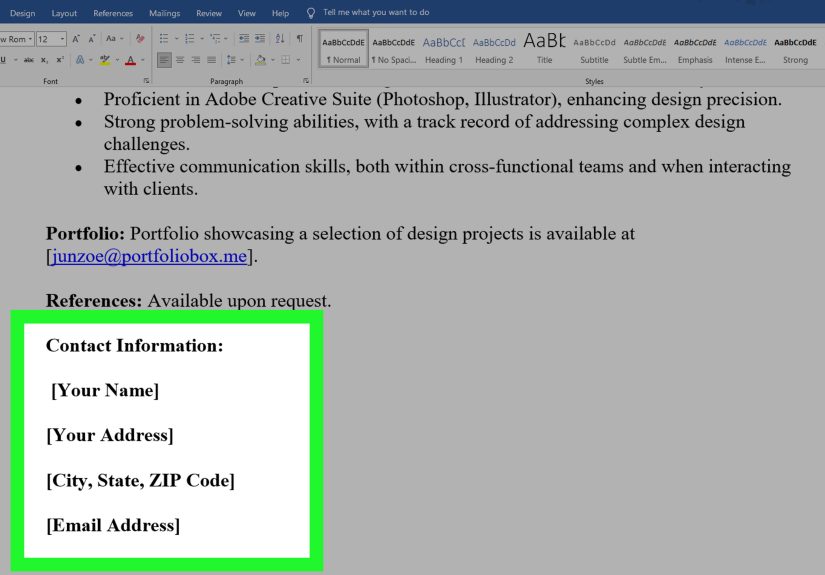
- Contact information
- Professional summary or headline
- Work experience
- Education
- Skills
- Certifications or projects when relevant
You can ask ChatGPT to recommend a structure based on your background. A college student, a career changer, and a senior manager should not all use the exact same layout.
Step 4: Turn job duties into accomplishment-driven bullet points
This is where ChatGPT really earns its lunch. Most weak resumes list responsibilities. Strong resumes show outcomes. Instead of saying what you were assigned to do, show what you improved, delivered, solved, built, or supported.
Here is a weak bullet point:
“Responsible for managing social media accounts.”
Here is a stronger version:
“Managed Instagram and TikTok content calendars, increasing average engagement by 38% over six months through audience-focused campaign planning.”
Use ChatGPT to rewrite bullets with this formula:
Action + context + result
Try this prompt:
Prompt: “Rewrite these resume bullet points to sound more results-driven. Use strong action verbs, keep them concise, and include measurable impact where possible.”
Step 5: Quantify everything you reasonably can
Numbers make your work easier to believe. They also help hiring managers scan your resume faster. Did you increase sales, reduce errors, manage a team, handle a budget, serve a number of clients, or complete a project ahead of schedule? Put numbers around it.
If you think you do not have metrics, look again. You may be sitting on useful data such as:
- How many customers you helped
- How many projects you completed
- How much time you saved
- How much revenue you influenced
- How many people were on your team
- How often you performed a task
Ask ChatGPT to help you uncover possible metrics from a rough description. Then verify them yourself before using them. “Approximately 20 client accounts” is acceptable. “Single-handedly increased profits by 700% while mentoring dolphins” is less ideal.
Step 6: Write a professional summary that actually says something
Your summary should not be a pile of buzzwords wearing a blazer. Avoid empty phrases like “hardworking professional,” “team player,” or “results-oriented go-getter.” Almost everyone says that, which means it tells recruiters very little.
A better summary briefly answers three questions:
- Who are you professionally?
- What kind of experience or strengths do you bring?
- What kind of role are you targeting?
Example:
“Detail-oriented marketing coordinator with 3 years of experience in content strategy, campaign reporting, and social media management. Skilled at turning audience insights into higher engagement and stronger brand visibility. Seeking a content marketing role focused on growth, analytics, and cross-channel storytelling.”
ChatGPT is excellent at drafting summary options in different tones, but your job is to choose the one that still sounds like a person, preferably you.
Step 7: Make your resume ATS-friendly
If you are applying online, your resume will probably pass through an applicant tracking system. That does not mean you need to write for robots only. It means you need clean formatting and clear language so software and humans can both read your document without filing a complaint.
ATS-friendly resume tips include:
- Use standard headings such as Work Experience, Education, and Skills
- Avoid tables, text boxes, complicated graphics, and decorative columns
- Use keywords from the job description naturally
- Spell out important skills, tools, and certifications clearly
- Keep formatting simple and consistent
Ask ChatGPT to review your resume specifically for ATS issues:
Prompt: “Review this resume for ATS compatibility. Identify formatting risks, missing keywords, and places where the language could better match the job description without becoming unnatural.”
Step 8: Protect your privacy
Many people forget this part because they are busy chasing a better bullet point. Be careful with personal information. Before pasting your resume into ChatGPT, consider removing details such as full address, phone number, private employer data, client names, or confidential project information. Redacting sensitive information is not paranoia. It is professionalism with better instincts.
Step 9: Fact-check every line
ChatGPT can make mistakes, fill gaps incorrectly, or “smooth” language in ways that subtly change meaning. That is why the final review matters so much. Read your resume out loud. Check every date, number, title, tool, and result. Then ask yourself one simple question: “Could I confidently explain this in an interview without sweating through my shirt?” If the answer is no, revise it.
Best ChatGPT Prompts for Resume Writing
- Resume analysis prompt: “Act as a professional resume coach. Review my resume and identify weak bullet points, missing results, repeated language, and sections that need stronger positioning.”
- Job description prompt: “Analyze this job posting and extract the top keywords, skills, and responsibilities I should reflect in my resume.”
- Bullet rewrite prompt: “Rewrite these resume bullets to be concise, achievement-focused, and ATS-friendly. Use strong action verbs and preserve accuracy.”
- Summary prompt: “Write 3 professional summary options for my resume based on this background and this target role. Keep them specific, modern, and free of buzzwords.”
- Skills prompt: “Based on this job description and my experience, suggest which hard skills and soft skills belong in my resume.”
- Truth check prompt: “Review this resume and flag any statements that sound vague, inflated, generic, or difficult to prove in an interview.”
- Tailoring prompt: “Compare my current resume to this job description and tell me which relevant experiences I should emphasize, reduce, or move higher.”
Common Mistakes to Avoid
Letting ChatGPT write from scratch with no facts
This usually produces generic filler. The better approach is to give it real content and ask it to improve, not invent.
Copying keywords without context
Recruiters and ATS systems both prefer relevance over random keyword confetti. Use the employer’s language where it truthfully matches your experience.
Sounding too polished to be believable
Sometimes AI-generated writing becomes so sleek that it loses personality. Your resume should sound professional, not like a motivational speaker who swallowed a thesaurus.
Ignoring formatting
A beautiful design that cannot be parsed by ATS software is like a sports car with square wheels. Nice effort. Wrong road.
Trusting unverified metrics
Never let ChatGPT guess numbers for you. Approximate carefully when needed, but keep everything truthful and defensible.
A Quick Before-and-After Example
Before:
Assisted with sales and helped customers with product questions.
After:
Supported daily retail sales operations by advising 60+ customers per shift on product selection, contributing to a 14% increase in average add-on purchases during peak season.
The second version works better because it shows scale, context, and outcome. That is exactly the sort of upgrade ChatGPT can help you create when you feed it real details.
Final Thoughts: Use ChatGPT Like a Smart Editor, Not a Ghostwriter
ChatGPT can absolutely help you write a better resume. It can sharpen your wording, tailor your content, improve ATS compatibility, and make your accomplishments easier to understand. But the best results come when you start with your own experiences, guide the tool clearly, and review every suggestion with a critical eye.
Think of ChatGPT as a powerful writing assistant with two defining traits: incredible speed and occasional overconfidence. Your job is to supply the facts, protect your voice, and keep the final document honest. Do that well, and you will not just have a resume that sounds better. You will have one that represents you more clearly, more strategically, and more competitively.
And that, in the glamorous world of job applications, is a very big deal.
Real-World Experiences Using ChatGPT to Write a Resume
One of the most common experiences people have when using ChatGPT for resume writing is simple relief. A student with part-time jobs, class projects, and volunteer work often stares at the screen thinking, “I have done stuff, but none of it sounds important.” Once they paste their experiences into ChatGPT and ask for help identifying transferable skills, the fog starts to lift. A campus club role suddenly becomes leadership experience. A class presentation becomes public speaking and research. A retail shift becomes customer service, problem-solving, and teamwork under pressure. The experience is not fake. It was there the whole time. ChatGPT just helps label it more professionally.
Career changers tend to have a different but equally useful experience. They usually have plenty of work history, but the problem is translation. Someone moving from teaching into corporate training, for example, may not realize how many relevant skills are already in their background. ChatGPT can help reframe “planned lessons for 120 students” into “designed and delivered engaging instructional content for large groups,” which suddenly sounds much closer to learning and development work. That kind of reframing can be a game changer, especially when the applicant is trying to connect old experience to a new industry without sounding like they are auditioning for a role in pure fiction.
Mid-career professionals often use ChatGPT a bit differently. They usually know their field, but their resumes have grown bulky over time. Bullet points get repetitive. Old roles take up too much space. Important wins are buried under routine tasks. In that situation, ChatGPT becomes a pruning tool. It helps identify which accomplishments are still relevant, which phrases are overused, and where stronger metrics could make a bigger impact. The experience feels less like “write my resume” and more like “help me stop burying the good stuff.”
There is also a very practical emotional benefit. Resume writing is weirdly personal. People second-guess themselves, compare themselves to others, and panic over wording that no human has ever loved. ChatGPT helps reduce that friction. It gives momentum. Once a person sees one strong bullet point, the next few become easier. Once they see a better summary, they stop sounding like a timid narrator in their own career story. That confidence boost matters.
At the same time, experienced users usually learn the same lesson fast: the first AI draft is rarely the final draft. The most successful job seekers use ChatGPT in layers. They brainstorm, revise, tailor, fact-check, then revise again. They remove robotic phrasing, replace vague claims with real evidence, and make sure the final version still sounds human. In other words, the best experience with ChatGPT is not pressing a magic button. It is getting smart assistance during a process that still depends on judgment, honesty, and self-awareness. The people who understand that tend to end up with resumes that feel sharper, more personal, and far more effective.