Table of Contents >> Show >> Hide
- What Is a Text File, Exactly?
- How a Text File Works
- Plain Text vs. Rich Text vs. Binary Files
- Why Text Files Are So Useful
- Common Examples of Text Files
- How to Create and Open a Text File
- When a Text File Is the Best Choice
- Common Problems With Text Files
- Why Text Files Still Matter Today
- Real-World Experiences With Text Files
- Final Thoughts
If you have ever opened a file and seen neat, readable words instead of digital gobbledygook that looks like a robot sneezed on your screen, you were probably looking at a text file. It is one of the simplest file types in computing, yet it quietly powers a huge part of modern digital life. Notes, code, logs, configuration files, CSV exports, HTML pages, and even many “serious business” files start with plain old text.
That simplicity is exactly why text files matter. They are lightweight, easy to create, easy to share, and friendly to both humans and machines. A text file is the plain sandwich bread of computing: not flashy, rarely glamorous, but somehow involved in everything.
In this guide, we will break down what a text file is, how it works, how it differs from other file types, where you use it every day, and why it remains one of the most useful formats on the internet and beyond.
What Is a Text File, Exactly?
A text file is a computer file that stores information as a sequence of characters. Those characters may include letters, numbers, punctuation marks, symbols, spaces, tabs, and line breaks. Unlike image files, audio files, or most application-specific documents, a basic text file is meant to be readable without special rendering magic.
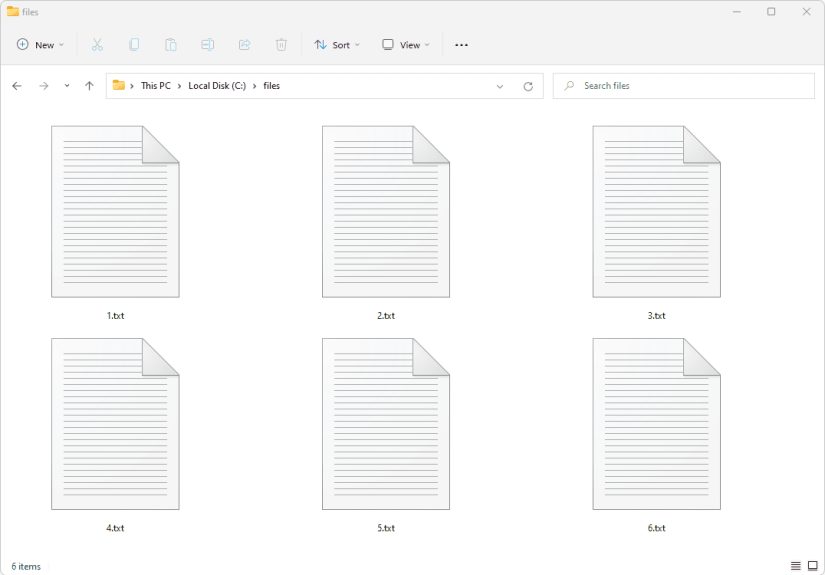
The most familiar example is a file with the .txt extension. Open it in a basic editor like Notepad on Windows or TextEdit on Mac in plain-text mode, and you will see the content directly. No bold type, no floating images, no fancy page layout, no font drama. Just text doing its job.
That said, a text file is not limited to .txt. Many other files are text-based too, including:
- .csv for spreadsheet-style data
- .html for web pages
- .css for styling web pages
- .js, .py, and .java for source code
- .json and .xml for structured data
- .md for Markdown documents
- .log for system or application logs
- .ini, .cfg, and .conf for configuration settings
So when people ask, “What is a text file?” the simplest answer is this: it is a file whose contents are stored as readable characters rather than as a format that depends on a special program to interpret its layout or media.
How a Text File Works
Behind the scenes, computers do not “see” letters the way humans do. They store data as bytes. A text file works because those bytes are interpreted according to a character encoding system that maps numbers to characters.
Characters, Bytes, and Encodings
Think of encoding as a translation guide. It tells the computer that one byte or a set of bytes should be displayed as a particular character. For example, an uppercase A is represented differently depending on the encoding, but the end result is that your screen shows a human-readable letter instead of a raw number.
Common text encodings include:
- ASCII: an older standard that covers basic English letters, digits, punctuation, and control characters
- UTF-8: the most common modern encoding, able to represent virtually all writing systems while remaining backward-compatible with ASCII
- UTF-16: another Unicode encoding often used in some software environments
This is why encoding matters so much. If a file is saved in one encoding and opened as another, the text can turn into nonsense. You have probably seen this before: quotation marks become weird symbols, accented letters mutate, and suddenly your file looks haunted. That is usually an encoding mismatch, not a ghost in the machine.
Line Breaks Matter More Than You’d Think
Text files also use line-ending characters to separate one line from the next. Different systems have historically used different conventions. Windows commonly uses CRLF, while Unix-like systems such as Linux and modern macOS generally use LF. Most modern editors handle this without complaint, but line-ending differences can still cause trouble in code editors, scripts, and version control systems.
In other words, a text file may look simple, but under the hood it still has structure. It is not just letters floating in a vacuum. It is letters plus encoding plus line handling, all cooperating like a tiny backstage crew.
Plain Text vs. Rich Text vs. Binary Files
One of the easiest ways to understand text files is to compare them with file types that are often confused with them.
Plain Text Files
A plain text file contains readable characters and almost no formatting instructions. It does not preserve font choices, font sizes, colors, margins, or embedded images. If you type “Hello” in a plain text file, the file stores the characters H-e-l-l-o, not a designer’s opinion about how dramatic they should look.
Rich Text Files
Rich text files, such as RTF or word-processing documents, store text and formatting information. They may preserve bold, italics, font families, alignment, lists, tables, and other layout features. These files are still text-heavy, but they are not the same as plain text. A rich text document is dressed for a meeting. A plain text file showed up in jeans and got the work done anyway.
Binary Files
Binary files store data in formats that are not meant to be directly human-readable. Examples include most images, videos, audio files, executables, and many proprietary document formats. If you open a binary file in a basic text editor, you will usually see a chaotic mix of symbols because the bytes are not meant to be interpreted as ordinary text.
This distinction is important in everyday computing. A plain text file is easy to inspect, copy, version, and edit. A binary file may be more compact or feature-rich, but it usually depends on specific software to make sense of it.
Why Text Files Are So Useful
Text files have survived decades of changing software trends because they solve real problems elegantly. They are universal, lightweight, and durable.
They Are Easy to Open
You do not need expensive software to read a text file. Almost every operating system includes a built-in text editor. That makes text files highly portable. If you can access a computer, you can probably open the file.
They Are Great for Compatibility
A plain text file can be shared across Windows, Mac, Linux, and many mobile platforms with minimal friction. It is one of the safest formats when you want the content to be accessible without worrying about whether the recipient owns a particular app.
They Work Beautifully for Code and Configuration
Programmers love text files because code is text. So are many server settings, app configuration files, environment files, and logs. When developers troubleshoot software, they often inspect text-based files first because those files are transparent. Nothing is hiding behind a glossy toolbar.
They Age Well
Plain text is also future-friendly. Proprietary formats can become obsolete or break when software changes. A plain text file written years ago is still likely to be readable today. That makes text files useful for documentation, data preservation, and archiving.
Common Examples of Text Files
Text files appear all over the place, even when people do not realize it. Here are some familiar examples:
- Notes and lists: shopping lists, to-do lists, meeting notes
- Readme files: simple instructions packaged with software
- Source code files: everything from Python scripts to HTML pages
- CSV exports: plain text data separated by commas
- Log files: records of application events and errors
- Config files: settings for apps, tools, and servers
- Markup files: Markdown, HTML, and XML documents
Here is a tiny example of plain text:
And here is a text-based configuration example:
Neither example is visually fancy, but both are immediately readable. That is the magic trick. Text files skip the presentation layer and go straight to meaning.
How to Create and Open a Text File
On Windows
You can create a text file with Notepad, Notepad++, Visual Studio Code, or many other editors. Save the file with a .txt extension if you want a standard plain text document.
On Mac
You can use TextEdit, but you should make sure it is set to plain text rather than rich text if you want a true text file. Mac users sometimes trip over this because a document may look simple while secretly carrying formatting baggage.
On Linux
Common options include nano, vim, gedit, Kate, and many code editors. Linux users and text files have been best friends for a long time. Sometimes alarmingly close friends.
In Code Editors
Editors like Visual Studio Code, Sublime Text, and Atom-style tools are popular because they make text files easier to manage, especially when working with code, syntax highlighting, line endings, and encoding choices.
When a Text File Is the Best Choice
A text file is ideal when your priority is simplicity, portability, and readability.
- Use a text file for quick notes and simple documentation
- Use it for configuration files and logs
- Use it for code and markup
- Use it for lightweight data exchange like CSV or JSON
- Use it when you want the content to remain accessible over time
But a text file is not always the best choice. If you need complex formatting, page design, embedded images, tracked changes, or polished presentation, a word-processing or design format may be more appropriate.
Common Problems With Text Files
Encoding Errors
This is the classic issue. A file saved in UTF-8 but opened as another encoding may show broken characters, especially with accented letters, symbols, or non-English languages.
Wrong File Extension
A file can contain plain text even if it does not end in .txt. Likewise, simply renaming a file to .txt does not magically convert a complex document into plain text. Nice try, though.
Line Ending Conflicts
If you move files between operating systems, line-ending differences can affect scripts, diffs, and automated tools. Many modern editors let you convert line endings with a couple of clicks.
Plain Text Security Risks
Because plain text is readable, it is a poor choice for storing sensitive secrets such as passwords or private keys unless additional protection is used. “Readable by everyone with access” is not the same thing as “secure.”
Why Text Files Still Matter Today
With cloud apps, smart devices, AI tools, and software stacks that sound like they were named by caffeinated branding teams, you might expect the humble text file to have faded into the background. Instead, it is still everywhere.
Web pages are built from text-based code. APIs often exchange text-based formats like JSON and XML. Developers document projects in README files. Systems write logs in text. Administrators edit configuration files. Writers draft in Markdown. Researchers export data in CSV. Even many modern tools that look sleek and polished are quietly powered by text under the hood.
Text files endure because they are transparent. You can open them, read them, search them, compare them, version them, back them up, and often repair them without specialized software. In a digital world full of black boxes, that transparency is a big deal.
Real-World Experiences With Text Files
Anyone who works with computers long enough eventually collects a few text-file stories. Some are charming. Some are mildly traumatic. Most are educational. Text files often seem boring until they save the day, cause a mysterious bug, or reveal that the entire system has been running on three lines of config and pure optimism.
A common first experience comes from school or work. Someone needs to submit a simple assignment, note, or data list and saves it as a word-processing document. Then the platform rejects it because it only accepts plain text. That is often the moment people realize a text file is not just “anything with words in it.” A plain text file strips away styling and focuses only on the characters themselves. It is cleaner, lighter, and much less picky about software.
For new programmers, text files are often the gateway into coding. The first HTML page, the first Python script, the first README, the first confused “Why won’t this run?” moment all begin in a text editor. There is something surprisingly empowering about opening a blank file, typing a few lines, saving it, and watching a browser or terminal respond. It feels almost magical, even though under the hood it is just structured text and a computer following instructions.
Text files also show up in rescue situations. Maybe a formatted document becomes corrupted, but someone still has a plain text copy of the important content. Maybe an application crashes, and the only clue is hidden in a log file. Maybe a website breaks after a configuration change, and the fix turns out to be one missing character in a text-based settings file. These experiences teach a valuable lesson: plain text is often easier to recover, inspect, and repair than more complicated formats.
Then there are the encoding adventures. Almost everyone who works with international content eventually opens a file and finds strange symbols where clean text should be. Smart quotes become nonsense, accented names look scrambled, and what should have been a simple update becomes a detective story about UTF-8, legacy encodings, and who exactly saved the file in the year 2009 and then vanished. It is annoying, yes, but it also shows how much invisible work text files are doing every time they render language correctly.
Writers and editors often appreciate text files for a different reason: focus. Plain text removes visual clutter. There are no toolbar temptations, no font experiments, no time wasted deciding whether a heading should be 14-point or 16-point. It is just words. That can be freeing. Many people draft better when the file stops trying to look impressive and simply lets ideas land on the page.
System administrators and developers often have an even deeper respect for text files because they know how much infrastructure depends on them. Servers may start or fail based on one text configuration file. Deployment scripts may succeed because of a tiny environment file. Build tools, version-control rules, and software settings often live in plain text. It is the digital equivalent of discovering that the giant machine in the basement is controlled by a label maker and one sensible clipboard.
All of these experiences point to the same truth: text files matter because they are understandable. When technology becomes complicated, people gravitate toward formats they can still read with their own eyes. That is why text files remain useful, practical, and surprisingly comforting in a world full of increasingly layered software.
Final Thoughts
A text file is simple, but it is not trivial. It stores readable characters in a clean, portable form that both humans and computers can work with easily. Whether you are writing notes, building a website, exporting data, checking logs, or editing a configuration file, text files are often the quiet heroes behind the screen.
They do not have the polish of a designed document or the visual flair of multimedia formats, but that is exactly the point. Text files trade decoration for clarity, and that trade remains incredibly valuable. Sometimes the smartest file in the room is the one wearing the least makeup.

![18 Best Types of Charts and Graphs for Data Visualization [+ How to Choose]](https://corkopencoffee.org/wp-content/uploads/2026/05/18-best-types-of-charts-and-graphs-for-data-visualization-how-to-choose-qKM1PBYG-thumb.jpg)