Table of Contents >> Show >> Hide
- What are impressions on LinkedIn?
- How LinkedIn counts impressions (and why it matters)
- Impressions vs. Members Reached vs. Views (don’t mix these up)
- Where to find impressions on LinkedIn
- Why impressions matter (and what they don’t tell you)
- How to get more LinkedIn impressions (12 strategies that don’t require selling your soul)
- 1) Tighten your “who this is for” signals
- 2) Win the first three lines (a.k.a. the “click more” audition)
- 3) Format for mobile scanners
- 4) Use formats that earn dwell time
- 5) Post when your audience is most likely online
- 6) Be consistent (but don’t spam)
- 7) Make conversation easy (specific questions beat vague ones)
- 8) Reply to comments like you mean it
- 9) Use hashtags as labels, not lottery tickets
- 10) Be smart about links (the myth is bigger than the reality)
- 11) Improve your early engagement window (without being weird about it)
- 12) Expand distribution with people, not hacks
- A simple 7-day plan to lift your LinkedIn impressions
- Common impression-killers (and quick fixes)
- Real-World Experiences: What actually moves LinkedIn impressions (extra )
- Conclusion
LinkedIn impressions are the digital equivalent of your content walking into a room full of professionals and getting noticedeven if nobody says hi. They’re not the same as clicks, comments, or conversions (sadly), but impressions are still a powerful signal: they tell you how often LinkedIn is putting your post in front of real humans.
This guide breaks down what impressions actually mean on LinkedIn, how the platform counts them, how they differ from “members reached,” and the most reliable ways to increase impressions without turning your feed into a motivational poster factory.
What are impressions on LinkedIn?
Impressions are the number of times your content is shown on LinkedIn. That includes when your post appears in someone’s feed, in search results, or on other surfaces where LinkedIn displays content. If the same person sees your post twice, that’s typically counted as two impressions. In other words: impressions measure exposure, not affection.
LinkedIn also notes that many analytics numbers (including impressions) are estimates. That doesn’t make them uselessit just means you should compare trends over time rather than treating a single post’s metrics like a courtroom affidavit.
How LinkedIn counts impressions (and why it matters)
Here’s where it gets interesting: LinkedIn doesn’t always count an impression as “it existed somewhere in the universe.” For example, for LinkedIn Page content analytics, LinkedIn describes impressions as views that occur when content is at least 50% on screen for 300 milliseconds or when it’s clicked. That’s basically LinkedIn saying: “We count it when it actually appears on screen long enough to be… seen.”
For paid campaigns (Sponsored Content), LinkedIn has its own impression/viewability approach as well (for instance, being at least 50% in view for a defined minimum time depending on device). The key takeaway: impressions are tied to display conditions, not just “posted it and prayed.”
Impressions vs. Members Reached vs. Views (don’t mix these up)
LinkedIn analytics can feel like a family reunion where everyone shares the same last name and refuses to wear name tags. Here’s the practical difference:
| Metric | What it tells you | When to care |
|---|---|---|
| Impressions | Total times your post was shown (repeat displays count). | Brand awareness, top-of-funnel visibility, trend tracking. |
| Members Reached | Estimated unique accounts who saw your post at least once (no repeats). | Whether you’re expanding beyond your usual circle. |
| Views (e.g., video views / profile views) | “Attention-based” actions (varies by content type). | When the goal is consumption: watching, reading, or visiting. |
Quick gut-check: If impressions are much higher than members reached, your content may be circulating repeatedly among a smaller group. If they’re closer, you may be reaching new audiences.
Where to find impressions on LinkedIn
1) Personal posts
Open your post and view analytics. LinkedIn typically shows impressions and members reached (and notes they may be estimates). Use this for post-by-post pattern spotting: format, hook, topic, time, and comment activity.
2) Company Pages
In Page analytics, you can see impressions over time and per post, plus engagement rate and audience data. This is where you evaluate content themes and formats across weeksnot just “did Tuesday’s post pop off.”
3) Comments (yes, comments)
LinkedIn also offers comment impression analytics in certain contexts. That’s useful if you’re building visibility through thoughtful comments on other people’s postsa strategy that works surprisingly well when you’re not just commenting “Great post!” like a human auto-reply.
4) Ads (Campaign Manager)
For Sponsored Content, impressions are central to reporting (and you’ll also see related metrics like clicks, CTR, CPM, etc.). Paid impressions aren’t “cheating”they’re a tool. The trick is making sure your creative and targeting are strong enough that the impressions mean something.
Why impressions matter (and what they don’t tell you)
Impressions are a visibility metric. They help you answer questions like:
- Is LinkedIn distributing my content more or less than last month?
- Which topics earn broader exposure?
- Which formats get shown more often?
But impressions do not automatically mean your content is effective. A post can rack up impressions and still produce zero meaningful outcomes if it doesn’t earn attention, trust, or action.
To make impressions useful, pair them with “so what?” metrics:
- Engagement rate (interactions ÷ impressions): Did people respond?
- Click-through rate (clicks ÷ impressions): Did they take action?
- Follower growth per 1,000 impressions: Did visibility translate into interest?
- Leads / sign-ups: Did business results happen downstream?
How to get more LinkedIn impressions (12 strategies that don’t require selling your soul)
1) Tighten your “who this is for” signals
LinkedIn increasingly prioritizes relevance. The more clearly your profile and content communicate your lane, the easier it is for the algorithm (and humans) to match you with the right audience. Pick 2–4 content pillars and stick to them long enough for your audience to associate you with something besides “random takes.”
Example: Instead of “marketing tips,” go narrower: “B2B LinkedIn content,” “demand gen for SaaS,” or “enterprise email copy.” Specificity makes distribution smarter.
2) Win the first three lines (a.k.a. the “click more” audition)
Those first lines decide whether a person keeps scrolling or taps “see more.” Your hook should promise a clear payoff: a lesson, a framework, a contrarian insight, or a story with a point.
- Bad hook: “Thoughts on leadership…”
- Better hook: “I tested 3 LinkedIn post styles for 30 days. One doubled impressions. Here’s what changed.”
3) Format for mobile scanners
Most LinkedIn users scroll on mobile. If your post looks like a tax form, they will treat it like one. Use short paragraphs, line breaks, and simple sentences. Your goal is “easy to read,” not “I deserve a Pulitzer.”
4) Use formats that earn dwell time
Time spent matters. Posts that keep people reading, swiping, or pausing tend to perform better because they signal value. Strong options include:
- Carousels / document posts (mini-slides, checklists, swipeable frameworks)
- Text + image (especially if the image adds meaning, not just vibes)
- Native video (short, clear, caption-friendly)
- Polls (when the question is genuinely interesting to your niche)
- Newsletters (for consistent, subscriber-based distribution)
5) Post when your audience is most likely online
Timing isn’t everything, but it’s not nothing. A practical starting point is weekday working hours for your target region (then test). If your audience is U.S.-based, try mornings and late mornings, especially mid-week. Use your own analytics to confirm what actually works for your audience.
6) Be consistent (but don’t spam)
Consistency improves learningboth for the algorithm and for your audience. Posting 3–5 times a week is a strong baseline for many creators. If you can post more without sacrificing quality, great. If posting more turns your content into filler, don’t.
7) Make conversation easy (specific questions beat vague ones)
“Thoughts?” is the content equivalent of shrugging. Ask something people can answer in one sentence:
- “Which would you choose: hiring for skills or hiring for learning speed?”
- “What’s one KPI your team tracks that everyone else ignores?”
- “If you had to cut your tool stack in half, what stays?”
8) Reply to comments like you mean it
Comment threads often extend the life of a post. When you reply thoughtfully, you’re not just being politeyou’re increasing the odds the post stays active and continues to circulate. Bonus: it also builds relationships, which is the entire point of LinkedIn (shocking, I know).
9) Use hashtags as labels, not lottery tickets
Hashtags help categorize your content. A few relevant hashtags (often 3–5) can be more useful than dumping 20 tags like you’re seasoning fries. Choose hashtags that match your niche and repeat them consistently enough to create recognizable themes.
10) Be smart about links (the myth is bigger than the reality)
Many creators avoid links because they believe LinkedIn suppresses posts that drive traffic off-platform. But data and reporting around links is mixedand some research has suggested posts with links can still perform well.
Practical approach:
- Put the value in the post itself (so the post performs even if nobody clicks).
- If you include a link, add context: why it matters, who it’s for, what they’ll get.
- Test both: link-in-post vs. link-in-comments vs. no link. Your niche may behave differently.
11) Improve your early engagement window (without being weird about it)
Early traction can help a post expand. The clean version of this is simple: post when you can be online for 30–60 minutes afterward, respond to real comments, and participate in the conversation. The unclean version is engagement pods and fake commentsLinkedIn is not impressed, and neither is your future employer.
12) Expand distribution with people, not hacks
To grow impressions sustainably, increase the number of relevant humans who can see and share your work:
- Connect with people in your niche (and actually talk to them).
- Collaborate on posts (interviews, co-created carousels, shared frameworks).
- Encourage employee advocacy for company Pages (make sharing easy and authentic).
- Repurpose strong posts into a newsletter or a recurring series.
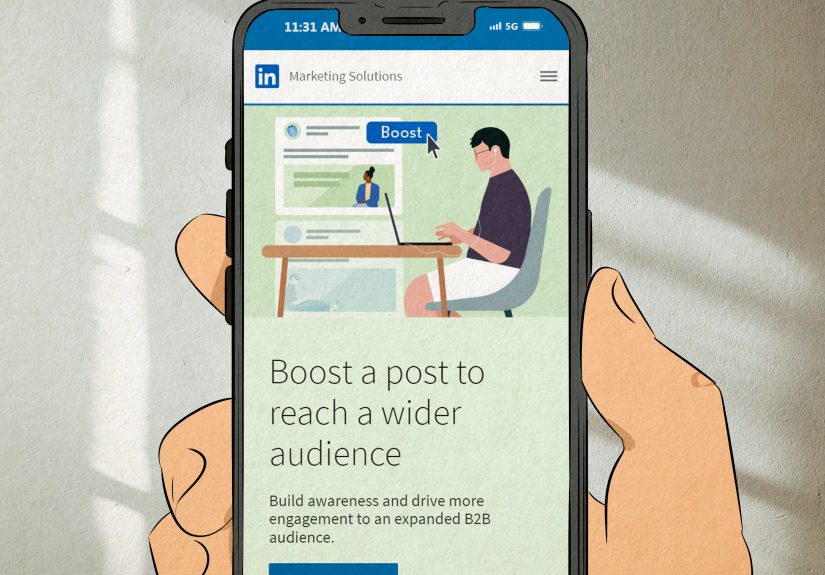
- Use paid boosts strategically when you have something genuinely valuable.
A simple 7-day plan to lift your LinkedIn impressions
- Day 1: Choose 3 content pillars and rewrite your headline/about to match your niche.
- Day 2: Publish a short framework post (bullets + example).
- Day 3: Leave 10 thoughtful comments on posts in your niche (not “Great post!”).
- Day 4: Publish a carousel/document post (checklist, playbook, or swipeable lessons).
- Day 5: Ask a specific question post designed for comments.
- Day 6: Share a story post with a clear takeaway (keep it professional, not soap opera).
- Day 7: Review analytics: impressions, members reached, engagement rate, saves, clicks. Double down on what worked.
Common impression-killers (and quick fixes)
- Too broad: “Business” content reaches nobody. Fix: niche down and use consistent keywords.
- Wall of text: People scroll past. Fix: shorten paragraphs, add spacing, use bullets.
- No payoff: A hook with no value creates disappointment. Fix: promise one clear outcome and deliver it.
- Chasing trends outside your lane: Confuses distribution. Fix: tie trends back to your niche or skip them.
- Posting and disappearing: Misses the conversation window. Fix: stay online and reply to real comments.
Real-World Experiences: What actually moves LinkedIn impressions (extra )
When marketers talk about “getting more LinkedIn impressions,” the conversation often drifts toward hacks: post at magical times, avoid links, use secret hashtags, sacrifice a printer to the algorithm gods, etc. In practice, the experiences that show up again and again are much less mysticaland a lot more repeatable.
Experience #1: Clarity beats charisma. One common pattern: a creator posts “general business advice” for months and sees flat impressions. Then they pick a lanesay, “RevOps for B2B SaaS” or “HR analytics for mid-market teams”and their impressions climb within a few weeks. The content didn’t suddenly become better written; it became easier for LinkedIn (and the audience) to classify. In everyday terms: when people know what you’re about, they know whether to stop scrolling. And when LinkedIn can predict who will care, it can distribute your post more confidently.
Experience #2: Swipeable assets keep people around. Teams running company Pages often notice that “text-only updates” get modest exposure, while document posts (mini playbooks, checklists, templates) earn higher impressions and better engagement rate. It’s not magicpeople spend longer swiping. That extra time can function like a “this is worth attention” signal. A practical example is turning a blog post into a 7-slide carousel: slide 1 is the promise, slides 2–6 are the steps, slide 7 is the question. Even when readers don’t click anywhere, the content still delivers value on-platform, which supports distribution.
Experience #3: The link fear is overblown, but the execution matters. Many creators swear links kill reach, while others see link posts perform fine. The experience that reconciles both: a link post that reads like “Here’s my article” often underperforms, while a link post that includes the full lesson (and the link as optional) can do well. In other words, it’s not “links are bad,” it’s “low-effort promotion is bad.” A practical test marketers run is three versions of the same idea: (1) value-first post + link, (2) value-first post + link in comments, (3) value-first post + no link. The outcome varies by niche, but the winning version is usually the one that stands on its own without requiring a click.
Experience #4: Comment activity can extend distribution. Another repeatable observation: posts that trigger thoughtful comments tend to keep earning impressions beyond day one. And posts where the creator replies with substance often do even better, because the thread stays active and more people re-enter the conversation. The “experience lesson” here is simple: write posts that invite responses people actually want to give. Instead of “Agree?” ask “Which option would you pick and why?” or “What would you do differently?”
Experience #5: Consistency compounds, inconsistency resets. Creators who post sporadically often experience “impression whiplash”one post hits, then silence for two weeks, then another post flops. Meanwhile, creators who post consistently (even 3 times per week) build predictable baselines. That baseline makes testing easier: you can adjust hooks, formats, and topics and actually see patterns. The best-performing creators aren’t always the loudest. They’re the most consistent at delivering specific value to a specific audience.
If you take nothing else away: impressions rise when your content is relevant, easy to consume, and worth spending time on. The algorithm is basically trying to be a helpful coworker. Give it a job it can do.
Conclusion
LinkedIn impressions are not the final scorethey’re the opening scene. They tell you whether your content is being shown, and they help you diagnose what topics, formats, and habits earn visibility. If you want more impressions, focus less on “tricks” and more on making your content clearly relevant, easy to read, and worth a pause. Do that consistently, and impressions become a byproduct of real valuenot a random number you refresh like it’s a stock ticker.