Table of Contents >> Show >> Hide
- Why Tracking Running Distance Matters
- 1. Use a GPS Running App
- 2. Track Miles With a GPS Running Watch
- 3. Map Your Route Before or After Running
- 4. Use a Treadmill Distance Reading
- 5. Track Distance With a Foot Pod or Smart Shoe Sensor
- 6. Keep a Running Log
- 7. Use a Track for Exact Distances
- 8. Estimate Distance by Time and Pace
- Which Running Distance Tracking Method Is Best?
- How to Improve Distance Tracking Accuracy
- How Often Should You Log Your Miles?
- Common Mistakes When Tracking Running Distance
- Real-Life Examples: Choosing the Right Method
- of Practical Experience: What Tracking Miles Teaches You
- Conclusion
Running is wonderfully simple until someone asks, “How far did you go?” Suddenly, your peaceful jog becomes a math problem with sneakers. Was it three miles? Was it 2.87 miles? Did the hill count double because your lungs filed a complaint? Learning how to track running distance solves that mystery and gives you a clearer picture of your progress, pace, fitness, and consistency.
The good news is that tracking your miles no longer requires a clipboard, a bicycle wheel, or a suspiciously confident guess based on how tired your legs feel. Today, runners can use GPS watches, smartphone apps, online route planners, treadmill data, running logs, smart shoes, and old-school notebooks. Each method has strengths, quirks, and occasional dramaespecially when your watch says 4.98 miles and refuses to round up like a decent friend.
This guide breaks down the easiest ways to log your miles, explains which method works best for different runners, and shares practical tips for improving accuracy without turning every run into a NASA launch.
Why Tracking Running Distance Matters
Tracking running distance is not just for marathoners with color-coded spreadsheets and opinions about sock thickness. It helps beginners build consistency, casual runners stay motivated, and experienced athletes train smarter.
Distance tracking gives you a simple way to see whether you are running more, less, faster, slower, or simply surviving Monday with dignity. It also helps you avoid doing too much too soon. Many runners get injured not because they lack motivation, but because they suddenly decide their body is ready for “hero mode.” A running mileage log can show when your weekly miles jump too quickly.
Distance also connects to health goals. Public health guidelines commonly recommend adults get either moderate aerobic activity or vigorous activity such as running each week. When you log your runs, it becomes easier to see whether your training supports your fitness goals, whether that goal is better endurance, weight management, stress relief, race preparation, or simply proving to your couch that you have moved on.
1. Use a GPS Running App
For most beginners, a GPS running app is the easiest way to track running distance. You download an app, tap start, run, tap stop, and let your phone handle the numbers. Popular options include Nike Run Club, Strava, ASICS Runkeeper, MapMyRun, and similar fitness apps.
Why GPS Apps Are Popular
GPS apps use your phone’s location data to estimate your route, distance, pace, speed, and often elevation. Many also provide audio updates, route maps, goal tracking, social sharing, monthly challenges, and training plans. That means you can finish a run and immediately know your distance, average pace, mile splits, and whether the last hill was as rude as it felt.
Running apps are especially useful if you are new to running because they remove guesswork. You can see your progress over days, weeks, and months. A two-mile run that once felt impossible may become your warm-up. That is the kind of progress your brain needs to see in writing.
Best For
GPS running apps are best for beginners, casual runners, city runners, social runners, and anyone who already carries a phone. They are also great if you want a free or low-cost way to log miles without buying a running watch.
Accuracy Tip
Start your run only after your phone has a strong GPS signal. Tall buildings, tunnels, dense trees, bad weather, and starting too quickly can cause GPS drift. In plain English, your app may think you briefly ran through a pond, a building, or your neighbor’s kitchen. Try to begin in an open area and wait a few seconds before pressing start.
2. Track Miles With a GPS Running Watch
A GPS running watch is one of the most convenient tools for tracking running distance. Brands such as Garmin, COROS, Polar, Suunto, Fitbit, and Apple offer watches that can record distance, pace, heart rate, splits, cadence, and route maps.
The biggest advantage is freedom. You can run without holding your phone, checking your pocket, or wondering if your app paused because your screen got sweaty. A watch sits on your wrist and gives real-time data with a quick glance.
Why Runners Like GPS Watches
Running watches are built for workouts. Many models have dedicated sport modes, longer battery life than phones, better outdoor visibility, lap buttons, structured workouts, and post-run analysis. Some watches also support multi-band GPS, which can improve tracking in difficult environments.
For runners training for a 5K, 10K, half marathon, or marathon, a watch can help manage pace. Instead of accidentally turning your easy run into a personal Olympic trial, you can check your watch and settle down before your legs send a strongly worded email.
Best For
GPS watches are best for consistent runners, race training, long runs, interval workouts, trail runs, and anyone who wants more accurate and convenient data than a phone alone can provide.
Accuracy Tip
Let your watch fully connect to GPS before you start. Keep firmware updated, choose the best satellite setting available for your device, and avoid starting next to tall buildings when possible. If your watch offers one-second recording or high-accuracy GPS modes, those settings may improve route detail, though they can use more battery.
3. Map Your Route Before or After Running
You do not need live GPS to measure a run. Online mapping tools can help you plan or calculate distance manually. Google Maps, Google Earth, MapMyRun routes, and other route planners allow you to click points along roads, paths, parks, or trails to estimate mileage.
This method works well for runners who follow the same neighborhood loop, want to plan a new route, or prefer not to carry a phone. You can map your course ahead of time and know that the loop from your front door, around the park, past the coffee shop, and back home equals 3.2 miles. The coffee shop is optional. Emotionally, however, it may be essential.
How to Use Route Mapping
Open a map tool, choose a starting point, and add points along your route. The tool will calculate total distance. For better accuracy, click along the actual path you run rather than drawing one straight line from start to finish. Unless you can fly, straight-line distance will not match your actual run.
Best For
Route mapping is best for runners who like planned routes, repeat loops, offline running, group runs, or simple distance checks without wearable tech.
Accuracy Tip
Use multiple points around curves, turns, and trail bends. A route with many corners needs more clicks. Otherwise, your carefully planned five-mile run may become a mysterious 4.6-mile “close enough” adventure.
4. Use a Treadmill Distance Reading
Treadmills are a simple way to track running distance indoors. Most machines show distance, time, pace, speed, incline, and calories. When weather turns ugly or sidewalks become ice rinks, the treadmill becomes the hero nobody applauds enough.
Treadmill distance is usually calculated from belt movement, not GPS. That means indoor runs can be tracked even when GPS is unavailable. However, treadmill accuracy can vary depending on calibration, belt condition, machine quality, and whether the treadmill has been maintained.
Best For
Treadmill tracking is best for indoor runners, bad-weather days, controlled pace workouts, interval training, rehab runs, and anyone who prefers climate control over being slapped by wind.
Accuracy Tip
If your watch or app estimates treadmill distance from arm swing, it may differ from the treadmill screen. Many running watches allow you to calibrate treadmill distance after a run. Use that feature when available, especially if you regularly run indoors.
5. Track Distance With a Foot Pod or Smart Shoe Sensor
Foot pods and smart shoe sensors measure movement from your foot rather than relying only on GPS. Some connect to watches or apps and estimate distance, pace, cadence, stride length, and ground contact metrics.
These tools can be helpful for treadmill running, indoor tracks, urban areas with weak GPS, or runners who care about detailed form metrics. They are not necessary for everyone, but data-loving runners may enjoy the extra insight. Warning: once you learn your cadence, stride length, and vertical oscillation, dinner conversations may become statistically dangerous.
Best For
Foot pods are best for treadmill runners, advanced runners, indoor training, and athletes who want consistent pace data where GPS struggles.
Accuracy Tip
Calibrate the sensor according to the manufacturer’s instructions. A properly calibrated foot pod can be very useful, but a poorly calibrated one is just a tiny shoe passenger making confident guesses.
6. Keep a Running Log
A running log is the most underrated tool in the runner’s toolbox. It can be a notebook, spreadsheet, calendar, app, or training platform. The format matters less than the habit. Write down your date, distance, time, route, pace, effort, weather, shoes, and any notes about how you felt.
Distance tells you what happened. Notes tell you why it happened. For example, “3 miles, felt terrible” is useful. “3 miles, felt terrible, ate spicy tacos 20 minutes before running” is science.
What to Include in Your Running Log
A good running log can include:
- Distance completed
- Total time
- Average pace
- Route or location
- Effort level from 1 to 10
- Weather and terrain
- Shoes worn
- Sleep, soreness, mood, or energy
- Any pain or unusual discomfort
Over time, this information helps you spot patterns. Maybe your Saturday long runs go better when you sleep more. Maybe your pace drops on hot days. Maybe one pair of shoes gives you knee pain. Your log becomes a personal training detective, minus the dramatic background music.
7. Use a Track for Exact Distances
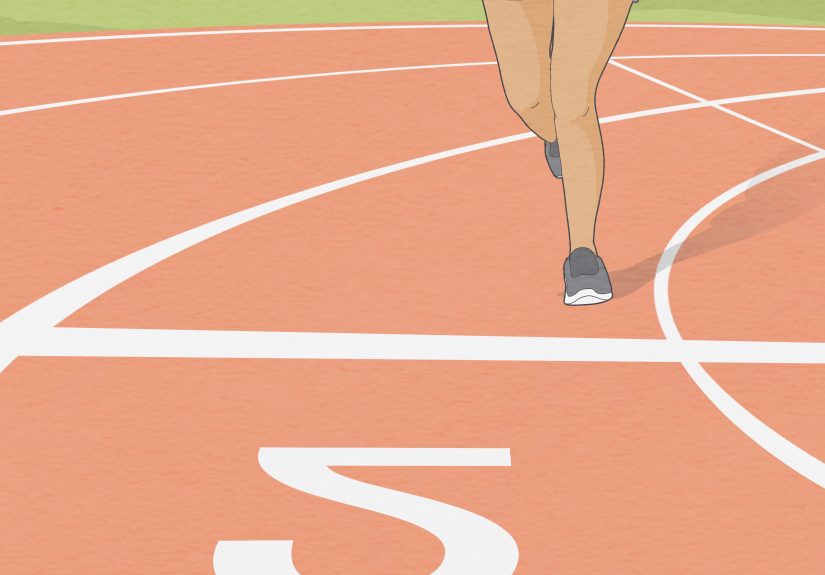
A standard outdoor track is one of the simplest ways to measure running distance. In many cases, one lap around the inside lane is 400 meters, which is about 0.25 miles. Four laps are roughly one mile.
Tracks are excellent for speed workouts, beginner run-walk sessions, time trials, and learning pace. They also eliminate many GPS issues because the route is fixed and measured. The downside is that running many laps can feel like being trapped in a very healthy hamster wheel.
Best For
Track running is best for intervals, pace practice, beginner confidence, measured workouts, and runners who want a simple way to compare performance over time.
Accuracy Tip
Run in the same lane when comparing workouts. Outer lanes are longer than inner lanes, so lane choice matters if you are trying to be precise.
8. Estimate Distance by Time and Pace
If you know your usual pace, you can estimate distance using time. For example, if you usually run a 10-minute mile and you run for 30 minutes, you likely covered about three miles. This method is not perfect, but it works when technology fails or you intentionally leave devices behind.
Time-based running is also useful for beginners. Instead of worrying about exact mileage, you might run for 20 minutes, then 25, then 30. Your distance will naturally increase as your fitness improves.
Best For
Time-based tracking is best for easy runs, recovery runs, beginner plans, stress-free running, and days when you want to enjoy movement without staring at numbers.
Accuracy Tip
Use time and effort together. If your route is hilly, hot, windy, or crowded, pace may slow even though your workout is still valuable.
Which Running Distance Tracking Method Is Best?
The best way to track running distance depends on your goals, budget, and personality. If you like simplicity, use a GPS app. If you want convenience and richer data, use a GPS watch. If you run indoors, use treadmill data and calibrate your device. If you love planning, map your routes. If you like reflection and long-term progress, keep a running log.
Most runners eventually combine methods. You might use a watch for live tracking, sync it to an app, and write short notes in a training log. That combination gives you numbers and context, which is far more useful than numbers alone.
How to Improve Distance Tracking Accuracy
No tracking method is perfect. GPS works by connecting location points, and small errors can add up. Your phone or watch may record a slightly different distance than your friend’s device even when you run side by side. This does not mean one of you secretly teleported. It usually means your devices handled GPS data differently.
Use These Practical Accuracy Tips
- Start in an open area with a clear view of the sky.
- Wait for your device to lock onto GPS before running.
- Keep your phone or watch software updated.
- Use high-accuracy GPS settings when battery life allows.
- Carry your phone consistently if your watch depends on connected GPS.
- Calibrate your watch for indoor or treadmill runs.
- Pause manually at long stops if auto-pause behaves strangely.
- Compare trends over time instead of obsessing over tiny differences.
A 3.01-mile run and a 2.98-mile run are basically fitness twins. Do not let tiny measurement differences steal the joy from your progress. The goal is useful consistency, not courtroom-level mileage evidence.
How Often Should You Log Your Miles?
Log every run if you can. It takes less than a minute and creates a valuable training history. Weekly mileage is especially helpful because it shows your total workload. A single run matters, but your weekly pattern matters more.
For example, running two miles on Monday, three miles on Wednesday, and four miles on Saturday gives you nine weekly miles. If you jump to 18 miles the next week, your log will clearly show a major increase. That does not automatically mean disaster, but it does mean your body may need more recovery.
Common Mistakes When Tracking Running Distance
Starting Before GPS Is Ready
This is the classic mistake. Your app starts guessing, your route map looks like spaghetti, and your first mile pace appears suspiciously fast. Wait a few seconds for a strong signal.
Comparing Every Run to Other Runners
Your mileage should match your fitness, schedule, goals, and recovery. Someone else’s 40-mile week does not make your 8-mile week less valuable. Your training log is not a courtroom where strangers testify against your pace.
Only Tracking Distance
Distance matters, but effort, sleep, soreness, stress, and weather matter too. Three easy miles and three exhausted miles are not the same experience.
Ignoring Shoe Mileage
Many runners track shoe mileage because worn-out shoes can affect comfort. Apps like Nike Run Club and others allow shoe tagging, but you can also write it in a notebook. When your shoes start feeling flat, your log may confirm they have earned retirement.
Real-Life Examples: Choosing the Right Method
The Beginner Running a First 5K
A beginner training for a 5K can use a free GPS app and a simple log. Track distance, total time, and how the run felt. The goal is consistency, not perfect pacing.
The Busy Parent Running Before Work
A GPS watch may be ideal because it is quick. Press start, run, press stop, sync later. No phone juggling required.
The Treadmill Runner
Use the treadmill display as your main distance source and calibrate your watch afterward. Keep notes about incline and effort because treadmill runs can vary widely.
The Race-Focused Runner
Use a GPS watch, structured workouts, and a detailed running log. Track weekly mileage, long runs, speed sessions, easy runs, and recovery.
of Practical Experience: What Tracking Miles Teaches You
The first thing running distance tracking teaches you is humility. You may leave the house convinced you are floating like a gazelle, only for your app to report that your “fast” pace was actually a polite shuffle with ambition. That is not failure. That is feedback. And feedback is one of the best gifts a runner can get, even when it arrives wearing compression socks and a judgmental stopwatch.
In real running life, the best tracking system is the one you will actually use. I have seen runners buy advanced watches, set up beautiful dashboards, connect three apps, and then forget to charge the device. I have also seen runners use a $2 notebook and build impressive consistency because they wrote down every run. The magic is not in the gadget. The magic is in paying attention.
One of the most useful habits is writing a short note after each run. Not a novel. Not a dramatic memoir titled “The Side Cramp Chronicles.” Just one or two sentences. For example: “Felt strong after the first mile,” “Too hot at noon,” “New shoes felt good,” or “Do not eat a burrito before tempo day.” These tiny notes become surprisingly helpful. After a month, you may notice that your best runs happen in the morning, your legs feel heavy after poor sleep, or your pace improves when you stop sprinting the first five minutes like you are being chased by tax paperwork.
Tracking distance also changes how you define progress. Beginners often think improvement means running faster every time. That sounds logical, but it is not how bodies work. Some days are slower because of heat, stress, hills, wind, fatigue, or life being life. A mileage log helps you see broader wins: more total miles, fewer walk breaks, better consistency, easier breathing, longer long runs, or quicker recovery. Those wins count.
Another lesson is that accuracy matters, but obsession does not. GPS watches and apps are excellent tools, but they are not magical truth machines. Your friend’s watch might show 3.12 miles while yours shows 3.07. Nobody needs to call a congressional hearing. Choose one primary tracking method and use it consistently. Trends over time are more meaningful than one tiny distance difference.
For motivation, create simple rituals. After Sunday’s run, review your weekly mileage. Celebrate consistency. Plan next week’s runs. Check whether your mileage increase feels reasonable. If you are tired, hold steady instead of adding more. If you feel great, build gradually. Running rewards patience more than panic.
Finally, remember that your mileage log is not a report card. It is a conversation with your body. Some weeks will look amazing. Some will look like your shoes entered witness protection. Both are normal. Track the miles, learn from the patterns, and keep showing up. The numbers are there to support your runningnot to boss you around like a tiny digital coach with control issues.
Conclusion
Learning how to track running distance makes your training clearer, safer, and more motivating. Whether you use a GPS running app, a watch, a treadmill, a mapped route, a track, a foot pod, or a humble notebook, the goal is the same: understand your running and build progress over time.
The easiest method is usually a smartphone app. The most convenient long-term method is often a GPS watch. The most reflective method is a running log. The smartest runners use the tools that fit their lives and remember that consistency beats perfection. Your miles do not need to be flawless to matter. They just need to be logged, learned from, and used to help you enjoy the next run a little more.